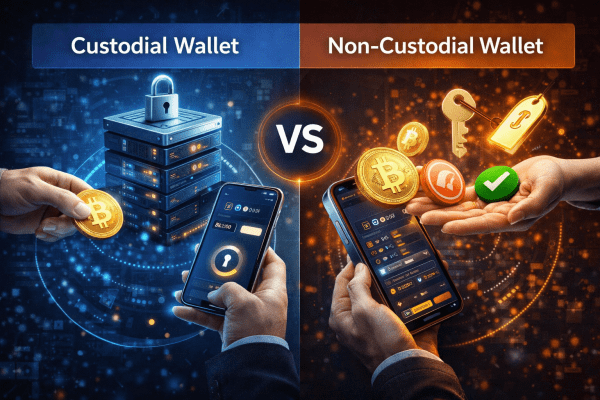
Custodial vs Non-Custodial Wallet: Who Actually Owns Your Crypto

“Not Your Keys, Not Your Coins” — What This Means in Practice
November 2022. FTX — the world’s second-largest exchange by volume — files for bankruptcy. $8 billion in client funds frozen. Millions of users can’t withdraw a cent. Their cryptocurrency technically exists — but they have no access to it. Because the keys to the wallets always belonged to FTX, not to the account holders.
This is the difference between a custodial and non-custodial wallet at its most brutal.
Most newcomers start with custodial solutions — exchanges, hosted wallet services. It’s convenient: no seed phrase to lose, no technical complexity, support available, interface feels like a bank. But that convenience costs control. Your funds in a custodial wallet belong to you exactly as much as the platform is willing to return them.
A non-custodial wallet is the opposite. Only you hold the private keys. Nobody can freeze, confiscate, or “temporarily suspend” your funds. But the full responsibility for security rests entirely with you.
This guide covers everything: what a custodian and non-custodial wallet actually are, how each type works, the real difference between them, when to choose each, and how to avoid losing funds in either scenario.
What Is a Custodial and Non-Custodial Wallet
Custodial Wallet: A Third Party Holds the Keys
A custodial wallet is a solution where the private keys to your crypto addresses are held by a third party — an exchange, fintech company, or custodial service. You log in with a username and password. You see your balance. You can send and receive. But real control over the keys belongs to the platform.
The traditional finance analogy: a bank account. The money is legally yours by contract — but the bank physically controls it, can freeze it by court order, restrict withdrawals, or go bankrupt.
Examples of custodial solutions:
- Exchange accounts: Binance, Coinbase, Kraken, OKX
- Hosted wallet services: Coinbase (exchange account), Crypto.com wallet
- Crypto cards and fintech: Revolut crypto, PayPal crypto
Non-Custodial Wallet: Only You Hold the Keys
A non-custodial wallet is a solution where private keys are generated and stored exclusively by you. No central server knows your keys. No company can restrict access. There is only a seed phrase — 12 or 24 words — from which all your keys are mathematically derived.
The analogy: physical cash in a safe at your home. Nobody can freeze it. But if the house burns down or you forget the combination — it’s gone forever.
Users looking for a non-custodial Bitcoin wallet often start with Electrum.
Examples of non-custodial solutions:
- Software wallets: MetaMask, Trust Wallet, Phantom, Exodus
- Hardware wallets: Ledger, Trezor
- Mobile: Coinbase Wallet (the standalone app, with seed phrase — distinct from the exchange account)
Hosted Wallet vs Non-Custodial: The Distinction
“Hosted wallet” is an alternative name for a custodial wallet. “Hosted” means the wallet is hosted on a company’s servers rather than on your device. The difference between hosted wallet vs non-custodial is the difference between “the company stores your keys” and “you store your keys.” The substance is identical to custodial versus non-custodial — just different terminology used by different platforms.
How Each Type Works: The Mechanics Underneath
How a Custodial Wallet Works
When you create an exchange account, the platform generates crypto addresses and stores the corresponding private keys in its own infrastructure. This is typically a combination of:
Hot wallet — internet-connected wallets for current operations (your tradeable and withdrawable balance). The most operationally active and therefore most exposed component of the system.
Cold wallet / Cold storage — offline vaults for the majority of client funds. Major exchanges keep 95–98% of client funds in cold storage. Access requires physical procedures and multiple authorization steps.
When you make an “internal transfer” on an exchange — this is often just a database entry update. No actual blockchain transaction occurs. This is called an off-chain transaction. Fast, cheap — but it exists only within the platform’s system and depends entirely on that system’s solvency.
When you withdraw funds, the exchange creates a real on-chain transaction, signing it with its own keys controlling your address.
How a Non-Custodial Wallet Works
When creating a non-custodial wallet, random entropy is generated — a set of random data — from which a seed phrase (mnemonic) is created via the BIP39 algorithm. From the seed phrase, through BIP32/BIP44, all key pairs (private + public) for all addresses are hierarchically derived.
Seed Phrase → Master Private Key → Child Private Keys → Public Keys → Addresses
This process happens locally on your device. The seed phrase is never transmitted anywhere (when using a legitimate wallet). The wallet developer’s platform never knows your seed phrase.
When you sign a transaction, the private key is used locally to create a cryptographic signature. The signature — not the key — is sent to the blockchain. Your private key never leaves your device during correct usage. This is the fundamental security property of non-custodial wallets.
HD Wallets: One Seed, Many Addresses
Modern non-custodial wallets use Hierarchical Deterministic (HD) architecture. From a single seed phrase, a tree of addresses is derived — a new receiving address can be generated for each transaction for privacy. All addresses share the same seed. If you restore from seed on a new device, you recover all addresses and all funds. This is why the seed phrase is so critical: it’s not one key, it’s the master key to all keys.
Why This Matters: Three Real Consequences of Your Choice
1. Control — or Its Absence
In a custodial wallet, you can never be certain that access to funds won’t be restricted. Reasons can vary:
- Regulatory requirement (blocking accounts of residents from certain countries)
- Internal investigation (suspicion of Terms of Service violation)
- Technical problems (hack, DDoS, system failure)
- Bankruptcy (FTX, Celsius, BlockFi, Voyager — all in 2022)
- Political pressure (account freezes on government request)
In a non-custodial wallet, none of these reasons affects your access to funds. As long as you have the seed phrase, you can restore the wallet on any device anywhere in the world.
2. Responsibility — and Its Full Weight
In a custodial solution, the platform bears responsibility for security. If the exchange gets hacked — that’s the exchange’s problem operationally (though losses fall on clients). If you forget your password — support can help you regain access.
In a non-custodial solution, responsibility rests entirely with you. Lost seed phrase — lost everything. Device failed without backup — lost everything. Entered seed phrase on a phishing site — lost everything. No appeal, no support ticket, no insurance policy.
3. Privacy — Real and Illusory
Custodial platforms require KYC (Know Your Customer) — passport, photo, sometimes proof of income source. All your transactions are tied to your identity and stored in the company’s database. This data can be shared with regulators, hacked, or used against you in legal proceedings.
Non-custodial wallets require no personal data to create. A blockchain address isn’t tied to a name. However, the blockchain is public — with sufficient effort and blockchain analytics tools, transactions can be traced and potentially linked to real-world identity.
Where Each Type Applies: Scenarios and Use Cases
When a Custodial Wallet Is the Right Choice
Active trading. If you trade daily, keeping funds on an exchange makes operational sense. Every withdrawal to a non-custodial wallet and re-deposit back costs time and transaction fees.
Small amounts for beginners. For first $100–500 in crypto, learning seed phrases and hardware wallets can be unnecessary complexity. Starting with an exchange account is reasonable.
Frequent fiat-to-crypto conversion. KYC exchanges are the simplest path for buying crypto with dollars or euros and converting back.
Corporate compliance requirements. For companies with regulatory compliance needs, licensed custodial services (Coinbase Custody, Anchorage Digital) provide the necessary reporting infrastructure and insurance structures.
When Non-Custodial Wallet Is the Only Right Choice
Long-term storage of significant amounts. If you’re holding cryptocurrency as an asset for a year or more — non-custodial (especially hardware wallet) eliminates counterparty risk entirely.
DeFi participation. DeFi protocols require a non-custodial wallet. You cannot interact with Uniswap, Aave, Compound from an exchange account — you need MetaMask or an equivalent.
NFT and Web3 activity. Owning NFTs and participating in the Web3 ecosystem requires your own wallet. Exchange accounts don’t provide access to on-chain NFT functionality.
Receiving airdrops. Most retroactive airdrops are distributed to on-chain addresses from non-custodial wallets. Exchange activity typically doesn’t qualify.
Geographic restrictions. In regions where crypto exchanges are restricted or blocked, a non-custodial wallet remains accessible since it’s just software interacting directly with the blockchain.
Risk Score: Evaluating the Risk of Your Current Storage Setup
Risk Score = (Third_party_control × Fund_concentration) + (Technical_risk × Absence_of_backup)
Each parameter rated 0 to 5:
- Third_party_control — how much a third party controls access (0 = full self-custody, 5 = all funds on one custodial platform)
- Fund_concentration — how concentrated funds are in one place (0 = diversified, 5 = everything in one location)
- Technical_risk — how vulnerable the technical setup is (0 = hardware wallet + encryption, 5 = hot wallet on a compromised device)
- Absence_of_backup — is there a backup (0 = multiple secured backups, 5 = no backup at all)
Score interpretation:
- 0–6: Low risk — solid storage structure
- 7–15: Moderate risk — room for improvement
- 16–25: High risk — changes needed
- 26–50: Critical risk — restructure immediately
Calculation Examples
| Storage scenario | 3rd party control | Concentration | Technical risk | No backup | Score | Verdict |
|---|---|---|---|---|---|---|
| Ledger + 3 seed backups | 0 | 1 | 0 | 0 | 0 | Excellent |
| MetaMask + 1 backup | 0 | 2 | 2 | 1 | 5 | Good |
| Major exchange (Coinbase) | 3 | 2 | 1 | 0 | 9 | Moderate |
| All funds on one exchange | 5 | 5 | 2 | 0 | 35 | Critical |
| Hot wallet without backup | 0 | 3 | 4 | 5 | 27 | Critical |
| Optimal hybrid setup | 1 | 1 | 1 | 0 | 2 | Excellent |
Top Mistakes When Choosing and Using Wallet Types
Mistake 1: Storing All Funds on One Exchange
FTX, Celsius, BlockFi, Voyager Digital — all froze client funds in 2022. Clients of these platforms had a “balance” — but no access to real keys. When the platform went bankrupt, funds became part of the insolvency estate. Some recovered portions, many recovered far less, and the process took years.
Users who kept exchanges for trading only and regularly withdrew profits to non-custodial wallets were unaffected. Those who stored everything on the platform lost everything or nearly everything.
The rule: a custodial wallet is a tool for trading, not for storage.
Mistake 2: Storing the Seed Phrase Digitally
A screenshot of the seed phrase in cloud storage, a text file on your computer, a photo in your phone gallery — these are critical vulnerabilities. Any device synced to a cloud service can be compromised remotely. The seed phrase exists only on paper or metal and is stored physically in a secure location. This is non-negotiable.
Mistake 3: Entering Your Seed Phrase on a Website or in an App
A legitimate wallet never requests your seed phrase online. “Enter your seed phrase to recover,” “to verify,” “to update” — always fraud. The seed phrase is entered only into the physical interface of your own device when importing a wallet into new software — offline, without internet access, in a secure location. Any other context for entering a seed phrase is a scam.
Mistake 4: Using One Non-Custodial Wallet for Everything With No Diversification
If all your funds are in one MetaMask on one computer — you’ve traded exchange risk for technical failure and hack risk. The correct structure: main funds on a hardware wallet, operational funds for DeFi in a separate hot wallet with a minimal balance, exchange account only for active trading amounts.
Mistake 5: Assuming Non-Custodial Is Automatically Safer
Non-custodial wallets are safer from counterparty risks — exchange bankruptcies, freezes, platform hacks. But they’re vulnerable to different risks: phishing, malware, social engineering, seed phrase loss. A user who doesn’t understand what they’re doing can lose funds from a non-custodial wallet faster than from an exchange.
Mistake 6: Not Verifying the Withdrawal Address on the Hardware Wallet Screen
When withdrawing from an exchange to your own wallet — always verify the address on the hardware wallet device screen itself. A clipboard hijacker can substitute a different address in your clipboard. If you verify the address only on your computer screen — you’re not protected against this attack. The hardware wallet screen is the ground truth.
How to Choose and Set Up the Right Solution: Step-by-Step Guide
Step 1 — Define Your Profile and Amount
Your choice depends on three parameters:
- Amount: under $1,000 — exchange is acceptable; $1,000–$10,000 — software non-custodial; above $10,000 — hardware wallet is mandatory
- Time horizon: active trading — custodial is more convenient; long-term holding — non-custodial is mandatory
- Activity type: DeFi / NFT / Web3 — non-custodial is required
Step 2 — Choose the Right Non-Custodial Solution
For beginners with small amounts: MetaMask (browser extension) or Trust Wallet (mobile). Free. Supports most EVM networks and increasingly multi-chain.
For active DeFi users: MetaMask + Rabby Wallet. Rabby shows a pre-transaction simulation of what will actually happen before you sign — catching dangerous approvals before they execute.
For significant amounts (above $5,000): Ledger Nano X or Trezor Model T. Private keys never leave the device. $70–$200 one-time investment. The hardware enforces key isolation at the physical level.
Step 3 — Correctly Save Your Seed Phrase
- Receive the seed phrase during wallet setup — only at this one moment
- Write it by hand on paper — no photos, no screenshots, no digital copies of any kind
- Verify the written phrase word by word before proceeding
- For significant amounts: engrave on a metal plate (Cryptosteel, Bilodeau, Cold Card) — fire and water resistant
- Store in at minimum two physically separate locations (home + bank safe deposit box, or with a trusted person under controlled conditions)
Step 4 — Establish the Right Storage Structure
Recommended hybrid structure:
- Cold storage (hardware wallet) — 70–80% of assets. Long-term holdings only. Connect to a computer only when needed, never leave connected.
- Hot wallet (MetaMask / Rabby) — 10–20% for active DeFi use. A separate wallet, not connected to the main seed.
- Exchange (custodial) — 5–10% for active trading. Only on verified major exchanges with proven track records.
Step 5 — Test the Recovery Process
Before transferring significant funds — test wallet recovery from the seed phrase. Reset the wallet (or install on a second device) and restore from seed. Confirm you get the same addresses. This is the only way to verify the backup is correct. Discovering a transcription error after moving funds is too late.
Correct Crypto Storage Checklist
- ✅ Storage type determined based on amount and time horizon
- ✅ Seed phrase written by hand on paper (and/or metal)
- ✅ Seed phrase stored in two physically separate locations
- ✅ No digital copies of seed phrase exist (no photos, cloud, email)
- ✅ Recovery from seed phrase tested successfully
- ✅ Main funds on hardware wallet (if above $5,000)
- ✅ DeFi hot wallet is separate from main storage wallet
- ✅ Exchange balance contains only what’s needed for active trading
Real Cases: When the Wallet Choice Made All the Difference
Case 1: FTX — $8 Billion in Client Funds Frozen
November 2022. FTX files for bankruptcy. One million clients unable to withdraw funds. Those who stored BTC and ETH on FTX became unsecured creditors in the bankruptcy proceedings. As of 2024, the estate administrator has returned portions of funds — but many clients received significantly less than their original balance, after multi-year delays and legal proceedings.
Clients who used FTX only for trading and regularly withdrew profits to non-custodial wallets were unaffected. Those who stored everything on the platform lost everything or entered a multi-year recovery process.
Lesson: a custodial wallet is a trading instrument, not a savings vehicle.
Case 2: Celsius — $12 Billion Frozen Behind “Yield” Promises
Celsius positioned itself as a “crypto bank” offering 10–18% annual yields on deposits. Clients deposited cryptocurrency into the Celsius custodial system — transferring keys in exchange for yield promises.
June 2022: Celsius freezes all withdrawals. $12 billion in client funds locked. The company files for bankruptcy. Under the terms of service, deposited funds technically became Celsius property — clients were unsecured creditors.
Those who held BTC in their own hardware wallets lost value during the bear market — but kept their BTC. Those who transferred BTC to Celsius for 6% APY lost both the BTC and the interest.
Lesson: yield on a custodial platform equals credit risk of that platform. “Your” BTC on Celsius was not actually yours — it was an unsecured loan to the company.
Case 3: Lost Seed Phrase — $220 Million Inaccessible Forever
Stefan Thomas — an early Bitcoin developer who received 7,002 BTC for a video in 2011. Keys were stored on an encrypted IronKey drive. The password was recorded in a password manager — which he lost. IronKey allows 10 password attempts before self-destructing all data. When the story was published in 2021, he had 2 attempts remaining. The BTC was worth $220 million at the time.
This is the classic non-custodial risk: full control equals full responsibility. No third party can help recover access. No insurance. No appeal. The technology is working exactly as designed.
Lesson: non-custodial wallets require a systematic approach to backups. A single point of failure is unacceptable at any significant amount.
If you want full control over private keys, a custodial solution is not the right fit.
Case 4: The Binance Bridge Hack — And Why Custodial Control Helped
October 2022. The Binance Bridge hack — $570 million in BNB created through a cross-chain bridge vulnerability. Binance rapidly halted the BSC network and froze the hacker’s funds. Client funds on Binance were not affected due to architecture separation.
This case shows something counterintuitive: the custodial platform (Binance) could stop the hack because it controls the infrastructure. In a fully decentralized protocol, no such option exists. This is simultaneously custodial’s greatest strength (rapid response to crisis) and its fundamental weakness (the same centralized control that stops hackers can also be used to freeze your account).
Lesson: custodial control cuts both ways. The same power that stopped a $570 million hack is the same power that froze FTX client accounts.
Comparison: Custodial vs Non-Custodial — Full Table
| Parameter | Custodial wallet | Non-custodial wallet |
|---|---|---|
| Key control | Platform | Owner |
| Freeze risk | High | None |
| Platform bankruptcy risk | High | None |
| Technical risk | Low (on platform side) | High (on user side) |
| DeFi access | No | Yes |
| KYC requirement | Mandatory | Not required |
| Password recovery | Yes (via support) | No (only seed phrase) |
| Ease of use for beginners | High | Low to medium |
| Privacy level | Low (KYC + tracking) | High |
| Internal transfer fees | Often zero | Always (gas fees) |
| Examples | Binance, Coinbase, Kraken | MetaMask, Ledger, Trust Wallet |
| Best suited for | Trading, small amounts | Storage, DeFi, large amounts |
How Scammers Use Psychology Around Wallet Types
“Your Wallet Is Compromised — Transfer Immediately”
“We detected suspicious activity on your account. To protect your funds, immediately transfer to this ‘secure’ address.” This works on custodial platform users accustomed to the idea that “support” can help. Real exchange support never asks you to transfer funds to another address. The request to move funds is always the scam itself.
Fake Non-Custodial Wallet Support
“Your MetaMask wallet is locked. Enter your seed phrase to unlock it.” Scammers operate through Telegram, Discord, fake MetaMask websites. The goal is always the same: obtain your seed phrase. MetaMask has no “locked” wallets — the blockchain doesn’t have an address-locking mechanism. Anyone requesting your seed phrase is running a scam.
“Move to a New Secure Platform”
After a hack or exchange problems — scammers offer a “safe alternative” with doubled yields. Victims who just experienced a problem with one custodial solution are particularly vulnerable — they’re looking for something “better” and may end up with something worse. Every platform requires independent verification regardless of circumstances or timing.
Fake Hardware Wallets
Purchasing a Ledger or Trezor from secondhand markets or unofficial resellers carries high risk. The device may be modified to transmit the seed phrase to the manufacturer of the fake. Only official sites: ledger.com and trezor.io. On first startup, the device must generate a brand new seed phrase — never come pre-loaded with one.
Who Is at Risk: Vulnerable User Profiles
| Profile | Core vulnerability | Typical loss scenario |
|---|---|---|
| Newcomer storing everything on an exchange | Platform bankruptcy / freeze risk | Loss during platform collapse (FTX scenario) |
| Experienced user with no backup | Single point of failure | Loss on device failure |
| DeFi power user without hardware wallet | Phishing, malware through dApps | Loss through malicious approve |
| User who bought secondhand hardware wallet | Modified device with backdoor | Seed phrase theft remotely |
| Storing seed in cloud or photo | Cloud account breach | Remote seed phrase theft |
| Using one seed phrase for all activities | Compromise affects all assets | Total loss from single phishing incident |
When the Standard Approach Does NOT Work: Honest Limitations
- Multisig for large amounts. A standard single-key non-custodial wallet for $1M+ is still a single point of failure. For such amounts, multisig is needed (Gnosis Safe): multiple signatures required per transaction, distributed across different devices and trusted people.
- Inheritance planning. How do you transfer a non-custodial wallet to heirs if you die unexpectedly? A standard seed phrase with no instructions is a problem. Solutions: dead man’s switch services, Shamir’s Secret Sharing, or a legally formalized will with detailed technical instructions.
- Regulatory compliance. For certain jurisdictions and business applications, a licensed custodian with full reporting is required. Non-custodial doesn’t meet compliance requirements in these cases.
- Frequent small transactions. If you use crypto for daily payments, a hardware wallet is operationally impractical. For this scenario: custodial mobile wallet with a small balance for daily use, hardware wallet for main storage.
- Recovery without seed. In non-custodial, there is no recovery path without the seed phrase. This isn’t a bug — it’s a design feature. But if the seed is lost — funds are permanently lost. No company can help because no company has your keys.
Myths About Custodial and Non-Custodial Wallets
| Myth | Reality |
|---|---|
| “The exchange insures my funds” | FDIC insurance covers only fiat deposits. Crypto holdings on exchanges are not insured in most cases |
| “Non-custodial is automatically safer” | Safer from platform risks. But carries user-side risks: phishing, seed loss, malware |
| “Ledger / Trezor = absolute protection” | Hardware wallets protect private keys, but don’t protect against signing a malicious transaction |
| “Exchanges can’t lose my money — they’re too big” | FTX, Celsius, Mt.Gox — all were “too big to fail” until they failed |
| “MetaMask is a custodial wallet” | MetaMask is non-custodial. Keys are stored locally; MetaMask has no access to your funds |
| “You should always keep crypto in non-custodial” | Depends on amount and activity. For active trading of small amounts, an exchange is rational |
| “Seed phrase is like a password — you can change it” | The seed phrase is immutable. It’s the master key. If compromised — immediately create a new wallet and move funds |
Frequently Asked Questions (FAQ)
What is the difference between a custodial and non-custodial wallet?
In a custodial wallet, a third party (exchange or service) holds the private keys to your crypto addresses. You see a balance but real control belongs to the platform. In a non-custodial wallet, keys are stored only by you — through a seed phrase. No one else can freeze or seize the funds.
What is a hosted wallet and how does it differ from non-custodial?
Hosted wallet is a synonym for custodial wallet. “Hosted” means the wallet lives on a company’s servers. In a hosted wallet, keys are with the company; in a non-custodial wallet, keys are with you. This is the fundamental distinction determining who actually controls the funds.
Is Coinbase Wallet custodial or non-custodial?
It depends on the product. A Coinbase exchange account is custodial — Coinbase holds the keys. The Coinbase Wallet app (separate standalone application) is non-custodial — you receive a seed phrase and keys are stored on your device. Two different products under the same brand name.
Is it safe to store large amounts on Binance?
Binance is the largest exchange with serious security infrastructure. But it’s a custodial solution. Funds on Binance are subject to platform risks: regulatory, technological, and operational. For long-term storage of amounts above $10,000, a hardware wallet is significantly more secure from a control perspective.
What happens to my funds if an exchange goes bankrupt?
You become an unsecured creditor in bankruptcy proceedings. FTX demonstrated: clients received anywhere from 0% to 100% of their funds depending on multiple factors — creditor priority, available assets for liquidation, jurisdiction, legal costs. The process takes years. There are no guarantees.
Can a non-custodial wallet be recovered without the seed phrase?
No. The seed phrase is the only recovery method. Without it, funds are permanently inaccessible. No support ticket, no company, no technical workaround exists. This is precisely why correct seed phrase storage is critical — the technology is working as designed.
What is multisig and when is it needed?
Multisig (multisignature) is a wallet requiring multiple signatures for a transaction (for example 2 of 3). Even if one key is compromised, funds remain secure. Needed for amounts above $100,000, corporate storage, and DAO treasuries. Gnosis Safe is the most widely used solution.
Is a hardware wallet worth it for small amounts?
For amounts under $1,000 — an exchange or software non-custodial wallet (MetaMask, Trust Wallet) is sufficient. A hardware wallet becomes rational starting from $2,000–$5,000, when the device cost ($70–$200) represents an insignificant percentage of the amount being protected.
What’s the safest way to store large amounts of crypto long-term?
Hardware wallet (Ledger or Trezor) for the majority of funds. Seed phrase written by hand, stored in two physically separate secure locations. Test recovery before transferring significant amounts. Never connect the hardware wallet to an unknown computer. For amounts above $100,000 — consider multisig architecture for additional protection against single points of failure.
If you want full control over private keys, a custodial solution is not the right fit.
Conclusion: Three Rules, One Principle, One Hard Criterion
Rule 1. Don’t store long-term savings in a custodial wallet. For trading — exchanges are operationally convenient. For storage — they represent bankruptcy risk, freeze risk, and platform hack risk that you don’t control. Transfer profits and long-term positions to non-custodial storage regularly, not as a one-time event.
Rule 2. Seed phrase — physically, in two locations, zero digital copies. Paper or metal. Two different physical places. No photos, no cloud storage, no text files, no email drafts. This single rule stands between you and permanent loss. Everything else in non-custodial security is secondary to this.
Rule 3. Separate wallets by purpose. One address for everything means one malicious approve, one signed bad transaction, and everything is gone. Cold wallet for storage. Separate hot wallet for DeFi. Exchange for trading. Three different tools for three different functions — each with an appropriate and limited balance.
The principle: “Not your keys, not your coins” is not a slogan. It’s a mathematical reality of how blockchains work. Private key equals control. No key equals no control. Whoever holds the key is the technical owner of the asset. Legal agreements with custodial platforms are secondary to this cryptographic reality — as FTX, Celsius, and Mt.Gox clients discovered at great personal cost.
The hard criterion: if the amount you’re prepared to lose due to platform failure is less than what you currently have in a custodial wallet — you’re carrying unjustified risk. Transfer the difference to non-custodial storage now, not after you’ve read another headline about an exchange freeze.
Read more:
- Bitcoin Core Wallet Review — full control and non-custodial storage.
- Electrum Wallet Review — popular non-custodial Bitcoin wallet.
- Exodus Desktop Wallet Review — beginner-friendly crypto wallet.
- Exodus Mobile Wallet Review — mobile wallet features and usability.
- Hardware Crypto Wallets Explained — safest long-term storage option.
$0.003 Appeared in Your Wallet. That’s Not a Gift.
You open your wallet. In the transaction history — an incoming transfer you never expected. A fraction of a cent in some unfamiliar token. Or 0.00000546 BTC. Or a brightly colored NFT with a claimed “value” of $0.
First instinct: random transfer, maybe a marketing airdrop. Worth trying to sell.
Don’t touch it. That’s exactly what whoever sent it is counting on.
A dusting attack is one of the most subtle attack patterns in the crypto space. It doesn’t directly compromise your wallet. It doesn’t steal your keys. It doesn’t require you to click a link. It works through your attempt to use those tiny amounts — and through that attempt, it compromises your privacy and opens pathways to far more serious attacks.
This guide covers the complete picture: what a crypto dusting attack actually is, how the tracking mechanics work, what happens with dusting attack trust wallet and coinbase wallet scenarios, what an NFT dusting attack looks like in practice, and most importantly — what to do when your wallet is dusted.
What Is a Dusting Attack in Crypto
Dust is an extremely small amount of tokens or cryptocurrency sitting at an address. The term originated in Bitcoin: amounts so small that the transaction fee to move them exceeds their value. The Bitcoin dust threshold is approximately 546 satoshis — roughly $0.003 at $60,000 per BTC.
A dusting attack is the deliberate sending of tiny amounts (dust) to a large number of addresses with the goal of either deanonymizing their owners or setting up follow-on attacks. The attacker sends dust → waits for the recipient to use or consolidate the dust UTXOs with other funds → traces the resulting transactions → maps connections between addresses → identifies the real person behind them.
Crypto dusting serves simultaneously as:
- A deanonymization tool (blockchain analytics / on-chain intelligence)
- The first step in a phishing chain
- A mechanism for “tagging” addresses for ongoing surveillance
Not all dust is an attack. Some dust is simply leftover amounts from swaps, tiny transactional residue, or legitimate marketing airdrops. The difference matters — and recognizing it is one of the core skills this guide develops.
How a Dusting Attack Works: The Tracking Mechanics
Phase 1: Mass Dust Distribution
The attacker assembles or generates a list of active crypto addresses. This requires no special access — all addresses are public on the blockchain. Blockchain analytics tools can identify active wallets, NFT holders of specific collections, addresses that have interacted with specific protocols, and whale addresses with large balances.
The attacker then sends minimal amounts: 546–1,000 satoshis in Bitcoin, 0.000001 ETH or a random token in Ethereum, or an unsolicited NFT in Solana or Ethereum.
The economics of the attack: at Solana’s $0.00025 per transaction fee, dusting 10,000 addresses costs approximately $2.50 in total. Even on Ethereum with higher fees, a funded attacker can reach hundreds of thousands of addresses for a few thousand dollars. The information gained is worth far more than the cost.
Phase 2: Monitoring and Waiting
The attacker configures monitoring across all addresses that received dust. On-chain analytics tools — whether commercial platforms like Chainalysis and Elliptic, or custom scripts — track when and how recipients interact with the dusted amounts. The attacker needs only one event: the dust UTXO appearing in a transaction alongside other funds.
Phase 3: UTXO Consolidation Tracking (Bitcoin-Specific)
This is the core mechanic in Bitcoin-specific dusting attacks, and it requires understanding the UTXO model. In Bitcoin, a transaction can combine multiple UTXOs (Unspent Transaction Outputs) from different addresses as inputs. If a user received dust at Address A and holds their main funds at Address B — and makes a transaction that uses both A and B as inputs — it becomes cryptographically provable that both addresses belong to the same wallet.
The deanonymization formula:
Address A (dust received) + Address B (main funds) → Combined Transaction Input → Proof: A and B share an owner
This exploits what blockchain analysts call the Common Input Ownership Heuristic — one of the foundational principles of on-chain transaction graph analysis. All the attacker needs is a single transaction where the dust UTXO is spent together with a “clean” UTXO. Most wallet software does this automatically through coin selection algorithms.
Phase 4: Cluster Building and Identity Attribution
Once the attacker observes that the dust address connects to other addresses through a transaction, they build a relationship graph. If any address in that cluster has been identified — through an exchange withdrawal, a public mention, a KYC-linked transaction — the entire cluster becomes attributed.
The attacker now knows the real person behind a set of addresses. This creates opportunities for:
- Targeted spear phishing with highly personalized messages
- Extortion (“we know you hold $300K in Bitcoin”)
- Physical threats (the $5 wrench attack against known large holders)
- Selling the dataset to other threat actors
Token and NFT Dusting: The EVM-Chain Mechanics
In Ethereum, Polygon, and Solana, there’s no UTXO model. Dust attacks work differently on these networks:
Token dusting: sending unknown ERC20 or SPL tokens. The goal isn’t UTXO consolidation analysis but rather:
- Inducing the user to attempt selling the token → interaction with a malicious contract
- Tagging active addresses for targeting in future phishing campaigns
- Gathering intelligence on address activity patterns and holdings
NFT dusting attack: sending unsolicited NFTs that contain links in their metadata or have contracts designed to trigger harmful approvals when the recipient attempts to interact with them. The attack path: receive NFT → try to sell or “claim” it through a linked site → sign a transaction granting approval for all tokens in the wallet.
Why Crypto Dusting Matters: The Real Consequences
The End of Pseudonymity
A widespread misconception: crypto addresses are anonymous. Technically they’re pseudonymous — not tied to a name by default, but every transaction is permanently public. Dusting attacks weaponize that public record against the user.
When an attacker establishes that several addresses belong to one person — and even one of those addresses has been identified through an exchange or public reference — they gain access to a complete on-chain profile: every address, every balance, every transaction, every protocol interaction, every counterparty.
The Path to Physical Threats
The most serious downstream scenario. A crypto community figure has their Twitter publicly linked to an address. Through dusting analysis, an attacker maps their complete portfolio: $400K in BTC across three addresses, $150K in ETH staked on Lido, active Aave positions. This intelligence enables targeted extortion and, in extreme cases, physical threats. The public blockchain is the data source. Dusting is the linking mechanism.
Next-Level Personalized Phishing
Post-deanonymization, the attacker knows which tokens you hold, which protocols you use, and when you’re active. This enables phishing that’s indistinguishable from legitimate communications: “Your Aave position is approaching liquidation threshold” sent to someone who actually has an Aave position is significantly more credible than a generic scam message.
Where and When Dusting Attacks Occur
Bitcoin: The Classic UTXO Dust
The oldest and most studied variant. Active since 2018. Particularly effective against users whose wallets automatically consolidate UTXOs. Whale addresses — publicly visible on-chain — are disproportionately targeted because the intelligence value of deanonymizing a $10M wallet justifies the attack cost.
Ethereum and EVM Networks: Token and NFT Dusting
The NFT dusting attack wave peaked between 2021 and 2023. Thousands of wallets received unsolicited NFTs linking to “claim sites” or containing contracts designed to trigger malicious approvals. Dusting attack Coinbase wallet and dusting attack Trust Wallet are common search queries precisely because these wallets serve large, often less technical user bases who are more likely to interact with unfamiliar tokens.
Solana: SPL Token Spam
In Solana’s account model, maintaining a token account requires paying “rent” in SOL. Spam token distributions create dust accounts that literally clutter the wallet interface. Phantom and other Solana wallets actively flag suspicious tokens precisely because the scale of SPL token spam made it a significant user experience problem.
A crypto dusting attack usually targets non-custodial wallets, so it’s important to understand how crypto wallets work in the first place what is a crypto wallet and how it works.
Targeted Attacks on Known Addresses
DAO treasuries, DeFi protocol deployers, well-known wallet addresses from public transactions — all receive dust regularly because they’re publicly identifiable as high-value targets. This isn’t random — it’s intelligence-driven targeting using publicly available on-chain data.
Risk Score: How Dangerous Is the Dust in Your Wallet
Risk Score = (Source × Contract_reputation) + (Metadata_links × Asset_type)
Each parameter rated 0 to 5:
- Source — how known is the sender (0 = verified project with history, 5 = completely anonymous address with no prior activity)
- Contract_reputation — how vetted is the token/NFT contract (0 = verified and audited, 5 = deployed recently without verification)
- Metadata_links — does the NFT or token description contain URLs (0 = none, 5 = aggressive CTA link to external site)
- Asset_type — type of received dust (0 = native network coin with no metadata, 5 = NFT with interactive content and claim links)
Interpretation:
- 0–5: Probably harmless dust (swap residue, legitimate airdrop)
- 6–12: Moderate risk — don’t interact, mark as spam
- 13–20: High risk — probable attack
- 21–50: Critical risk — do not interact under any circumstances
Risk Score Examples
| Dust type | Source | Contract | Links | Asset type | Score | Verdict |
|---|---|---|---|---|---|---|
| Swap residue on Uniswap | 0 | 0 | 0 | 0 | 0 | Safe |
| Legitimate marketing airdrop | 1 | 1 | 1 | 1 | 4 | Low risk |
| Unknown token from anonymous address | 4 | 4 | 2 | 2 | 20 | High risk |
| NFT with “claim reward” link | 4 | 5 | 5 | 5 | 45 | Critical |
| 546 sat of unknown origin | 3 | 0 | 0 | 1 | 9 | Moderate risk |
The Most Costly Mistakes When Encountering Dust
Mistake 1: Trying to Sell or Swap an Unknown Token
The most dangerous action a user can take. You see $80 in an unfamiliar token and try to sell it on a DEX. The swap fails — no liquidity. You search Google for “how to sell [token name].” The first result is a phishing site with instructions to “unlock liquidity” by signing an approval transaction. That transaction grants unlimited approval for all your real tokens.
This is the honey pot mechanic — the token is deliberately constructed so it cannot be sold through normal means. The displayed “value” is entirely fabricated. The only thing real about it is the drain that follows your approval.
Mistake 2: Following Links in NFT Metadata
An NFT arrives with attractive artwork and a description: “Exclusive holder airdrop. Claim at: exclusive-nft-rewards.xyz.” Visiting that link → connecting your wallet → signing what appears to be a claim transaction → setApprovalForAll grants the contract access to every NFT you own. Never follow URLs embedded in metadata of unsolicited NFTs.
Mistake 3: Spending a Dust UTXO in Your Next Bitcoin Transaction
Bitcoin wallet software often uses automatic coin selection that may include dust UTXOs as transaction inputs without prompting you. This consolidates the dust address with your main addresses — exactly what the attacker needs. The solution is Coin Control: manually selecting which UTXOs to spend and explicitly freezing dust UTXOs.
Mistake 4: “Accepting” or “Importing” an Unknown NFT
Some sites prompt users to “accept” an NFT that arrived in their wallet — supposedly to display it properly or access its features. Pressing “Accept” or “Claim” on an unfamiliar site means signing an unknown transaction. The site’s UI does not determine what the transaction actually does.
Mistake 5: Dismissing Wallet Warnings
Trust Wallet, Phantom, MetaMask, and Coinbase Wallet all display warnings on suspicious tokens and NFTs: “Unverified,” “Potential spam,” “Suspicious activity.” These warnings exist specifically because dusting and honey pot attacks are common. Treating them as inconveniences rather than signals is a documented path to loss.
Mistake 6: Assuming Small Value Means Small Risk
“It’s only $0.02 — what’s the harm in trying?” The risk isn’t correlated with the displayed value of the dust. The risk is that any interaction with a malicious contract or phishing site can drain your entire wallet — not just the dust token. The dust is the lure. Your real holdings are the target.
How to Assess and Respond to Dust: Step-by-Step Guide
Mini-Guide: What to Do When an Unknown Token or NFT Appears
Step 1 — Don’t panic and don’t touch anything
Receiving dust is not inherently dangerous. The danger activates only when you interact with it. Don’t swap, don’t sell, don’t click, don’t “accept” anything.
Step 2 — Check the sender address on a block explorer
Copy the sender’s address. Open Etherscan, Solscan, or the appropriate explorer for your network. Look for:
- How many addresses received the same transaction (if thousands — mass distribution)
- Whether the token contract is verified
- When the contract was deployed
- The sender’s transaction history
Step 3 — Verify the token or NFT contract
For ERC20 tokens: Etherscan → Contract tab → is the source code verified? For NFTs: check OpenSea for collection verification status Run the contract address through Honeypot.is to check for honey pot mechanics Check Token Sniffer for automated risk assessment of ERC20 contracts
Step 4 — Make an informed decision
If it’s a verified project with a legitimate announcement: find the official site through CoinGecko or the project’s verified Twitter. Never through links in the token’s own metadata.
If the source is unknown or suspicious: ignore it entirely. Hide or mark as spam in your wallet interface.
Step 5 — Hide or mark as spam
- Phantom (Solana): right-click the NFT → Mark as Spam or Hide
- MetaMask: Hide Token in the token menu
- Trust Wallet: long press the token → Hide
- Coinbase Wallet: Settings → Hidden Assets for management
Step 6 — For Bitcoin: use Coin Control to freeze dust UTXOs
If you received suspicious dust in a Bitcoin wallet, mark the UTXO as “do not spend”:
- Electrum: Coins tab → right-click → Freeze
- Sparrow Wallet: UTXOs tab → right-click → Freeze UTXO
- Wasabi Wallet: UTXOs section → do not mark for spending
A frozen UTXO is excluded from automatic coin selection. It will never be combined with your main funds unless you explicitly unfreeze it.
Safe Response to Dust Checklist
- ✅ Unknown tokens and NFTs — don’t sell, don’t swap, don’t click
- ✅ Wallet warnings (Unverified, Spam) treated as real signals
- ✅ URLs in NFT metadata never followed
- ✅ Bitcoin: Coin Control enabled, suspicious UTXOs frozen
- ✅ Token contracts checked on Etherscan before any action
- ✅ Suspicious tokens hidden or marked as spam in wallet
- ✅ Not searching Google for “how to sell [unknown token name]”
- ✅ For significant holdings: multiple addresses used (address isolation)
Real Cases: Dusting Attacks With Specific Numbers
Case 1: Litecoin Network Dusting — 295,000 Addresses Hit
April 2019. The Litecoin network experienced a coordinated dusting attack affecting approximately 295,000 addresses. Each received 0.00111 LTC — a small amount with negligible value but enough to force wallet software to track it as an UTXO.
The attack was attributed to a blockchain analytics firm testing the capabilities of its address clustering technology. The dust was used as a controlled experiment: which addresses would consolidate the dust UTXO with other funds, confirming ownership relationships?
The economics: at the time, 0.00111 LTC per address × 295,000 addresses = approximately 327 LTC total, worth roughly $27,000. The dataset of address clusters generated was worth significantly more for commercial blockchain analytics.
What followed: Litecoin developers used the incident to document the attack pattern in detail, leading to improved guidance on UTXO management for Litecoin users. The event became a reference case for UTXO-based dusting mechanics.
Lesson: dusting attacks aren’t always criminal. Commercial analytics firms use similar techniques for legitimate blockchain monitoring. But the mechanics are identical — and the privacy implications for users are the same regardless of who’s running the analysis.
Case 2: The $8.9 Million NFT Dusting Wave on Ethereum
- A coordinated NFT dusting campaign targeted Ethereum addresses that held blue-chip NFTs — BAYC holders, CryptoPunks owners, and Azuki collectors. The attackers used on-chain data to specifically identify high-value NFT wallets rather than mass-mailing random addresses.
The dusted NFTs were named to imply legitimacy: “BAYC Season 2 Airdrop,” “Azuki Partner Claim,” “Mutant Ape Evolution.” Each contained a metadata link to a site requiring wallet connection and a “confirmation” transaction.
The confirmation transaction was setApprovalForAll on the victim’s NFT contract — granting the malicious contract the right to transfer every NFT the user owned.
Verified losses: blockchain analytics firm PeckShield tracked losses from this specific campaign at $8.9 million across 127 confirmed victims over a 6-week period. Average loss per victim: $70,000. The targeting of high-value holders amplified the damage dramatically compared to random-distribution attacks.
Lesson: NFT dusting attacks aren’t blind spam. The most damaging campaigns are precision-targeted using publicly available on-chain data. Holding valuable NFTs in an address with a transaction history makes that address a more attractive target, not a safer one.
Case 3: Solana SPL Token Spam — The Wallet Flooding Problem
Mid-2022 through 2023. Solana’s low transaction fees (approximately $0.00025) enabled a wave of SPL token spam that created a unique version of the dusting problem. Attackers distributed hundreds of thousands of spam token accounts to active Solana addresses.
The twist: in Solana’s account model, each token account requires a small amount of SOL as “rent” to maintain. Users who tried to clear the spam from their wallets by closing token accounts could actually receive small SOL refunds — incentivizing interaction with the spam ecosystem.
Several campaigns used token names mimicking legitimate projects: “Bonk2,” “USDC Bonus,” “SOL Reward.” The tokens themselves were worthless, but the associated “claim sites” followed the standard honey pot pattern.
Scale: at peak, Solana on-chain data showed multiple campaigns distributing tokens to 500,000+ addresses per campaign. Phantom’s spam filter team reported processing millions of flagged token accounts during this period.
Lesson: low-fee networks amplify dusting attack economics. When the cost of reaching 1 million addresses is $250, there’s no economic barrier to mass distribution.
Case 4: Targeted Bitcoin Dusting of OTC Desk Addresses
- A sophisticated Bitcoin dusting campaign targeted addresses associated with large over-the-counter (OTC) trading desks — identifiable on-chain by their characteristic transaction patterns: large round-number amounts, frequent interactions with known exchange addresses, high-velocity activity.
The attacker sent 547–601 satoshi to 12,000 addresses matching these patterns. The goal wasn’t random — it was to establish address clusters associated with OTC activity, then use that intelligence to identify which exchanges or institutional players were involved in specific large transactions.
The intelligence gathered: by monitoring which dust UTXOs were consolidated in subsequent transactions, the attacker built a map of OTC desk wallet infrastructure. This information has commercial value for front-running strategies, regulatory intelligence gathering, or competitive analysis.
What made this different: the victims weren’t individual retail users. They were professional trading operations. The dust was so small that automated treasury management software consolidated it without human review — exactly what the attacker needed.
Lesson: dusting attacks scale upward. The same mechanic that targets individual privacy also works against institutional wallet infrastructure. Automated systems are especially vulnerable because they make decisions without human judgment about individual UTXOs.
Since users fully control their assets, understanding wallet types and security responsibility is essential custodial vs non custodial wallets explained simply.
Comparing Dusting Attack Types
| Type | Blockchain | Mechanic | Primary Threat | Attacker’s Goal |
|---|---|---|---|---|
| UTXO dusting | Bitcoin, Litecoin | UTXO consolidation | Deanonymization | Address clustering, privacy |
| Token honey pot | Ethereum/EVM | Fake value + phishing site | Wallet drain via approve | Token theft |
| NFT dusting | ETH/Solana | Approve via claim site | NFT portfolio drain | NFT theft, privacy data |
| SPL spam | Solana | Account flooding | Interface clutter + phishing | Privacy data, phishing |
| Targeted institutional | Bitcoin | OTC pattern matching | Intelligence gathering | Front-running, competitive intel |
How Scammers Use Psychology in Dusting Attacks
Manufactured Wealth: The Fake Value Illusion
The wallet shows $200 in an unfamiliar token. This isn’t accidental — the token is constructed so that price aggregators display a fabricated price based on a liquidity pool that the attacker controls and that has no real depth. The user sees real money to be collected. Greed overrides caution, and the search for “how to sell” begins.
For stronger protection, many users store larger balances on separate hardware wallets hardware wallet ledger for secure crypto storage.
Urgency Plus Scarcity: The FOMO NFT
“You are one of 50 recipients of an exclusive NFT. Claim window closes in 72 hours. Estimated floor price: $2,400.” Scarcity plus a countdown timer equals action without verification. The NFT has no real floor price. The “claim window” doesn’t correspond to anything on-chain. The only real timer is the attacker’s patience before moving to the next victim.
Authority Impersonation: The Fake Protocol Airdrop
An NFT or token arrives labeled “Uniswap V4 Early Access Pass.” The artwork mimics Uniswap’s visual identity. The description reads: “Uniswap is distributing governance tokens to early liquidity providers.” The link: uniswap-v4access.xyz — not uniswap.org. Users who would never click a random phishing link often proceed because the “official” appearance suppresses their skepticism.
The Sunk Cost Sequence
A sophisticated campaign walks users through multiple steps before presenting the dangerous transaction. Step 1: receive dust NFT. Step 2: visit site showing your “pending reward.” Step 3: connect wallet — benign, just shows your address. Step 4: “confirm eligibility” — the actual malicious approve transaction. By step 4, the user has invested time, sees their address displayed correctly, and feels they’re almost done. The sunk cost of the previous steps creates momentum toward clicking Confirm.
Who Is at Risk
| Profile | Core vulnerability | Typical scenario |
|---|---|---|
| Active NFT collectors | Accustomed to receiving unexpected NFTs, comfortable interacting | NFT dusting → claim site → setApprovalForAll → portfolio drain |
| Bitcoin long-term holders | Large UTXO sets, wallet software auto-consolidates | UTXO dusting → address clustering → spear phishing |
| New DeFi users | Unfamiliar with approve mechanics, see displayed token value as real | Honey pot token → sell attempt → approve → drain |
| Users with large active approval lists | Multiple unlimited approvals outstanding | One malicious interaction activates all prior unlimited approvals |
| Public crypto figures | Known addresses → known portfolio → known identity | Deanonymization → targeted extortion |
| Institutional OTC desks | Automated treasury management consolidates without review | Pattern-based dust → infrastructure mapping → competitive intelligence |
When Dusting Attacks Do NOT Work: Honest Limitations
- Coin Control in Bitcoin wallets. Users who manually select UTXOs (Electrum, Sparrow, Wasabi) and explicitly freeze dust UTXOs prevent the consolidation event entirely. The attack generates zero useful data against someone who never spends the dust UTXO.
- Address rotation. HD wallets generate a new receiving address for each transaction by default. Dust sent to Address A can’t be linked to Address B if the user never consolidates them. Address rotation makes UTXO graph analysis dramatically harder.
- Privacy protocols. Monero uses stealth addresses and ring signatures — every address is functionally single-use. Dusting is pointless. Bitcoin CoinJoin (Wasabi Wallet, JoinMarket) breaks UTXO ownership chains, making consolidation analysis unreliable.
- Simply ignoring it. The simplest defense is technically sound. If dust is never spent, the attacker gets no consolidation data. On EVM chains, if a honey pot token is never interacted with, no drain is possible. “Do nothing” is not paranoia — it’s correct threat modeling.
- Wallet spam filters. Modern wallets with active spam detection (Phantom on Solana, Trust Wallet’s updated token verification) automatically flag and hide most dust tokens before users even see them. The attack surface shrinks substantially on well-maintained platforms.
- Against well-funded analytics firms. Advanced blockchain analytics (Chainalysis, Elliptic, TRM Labs) can deanonymize addresses through multiple heuristics without dusting. Dusting accelerates the process but isn’t the only path to address attribution. Privacy at the transaction level requires multiple complementary measures.
Myths About Dusting Attacks
| Myth | Reality |
|---|---|
| “Dust is harmless — it’s such a small amount” | The risk isn’t the value of the dust. It’s what happens when you interact with the malicious contract or phishing site it leads to |
| “A wallet can’t be hacked through dust” | Dust doesn’t hack the wallet directly. It triggers actions that open access through approve transactions |
| “That token shows $150 value — I can actually sell it” | The displayed value is fabricated. The token is designed to be unsellable through normal channels |
| “Bitcoin is anonymous, dusting doesn’t work” | Bitcoin is pseudonymous. UTXO dusting is one of the primary deanonymization tools in blockchain forensics |
| “It’s just spam, I can ignore it” | Ignoring it is correct. But interacting with it is dangerous. That distinction is everything |
| “Only large wallets get dusted” | Mass campaigns send dust to thousands of random addresses regardless of balance. Large wallets also get targeted, but the distribution is broad |
| “Hiding a token in my wallet solves the problem” | Hiding removes the temptation, which is the right move. But the token remains on-chain. Hiding is a UI action, not a security action |
Frequently Asked Questions (FAQ)
What is a dusting attack in crypto, simply explained?
Someone sends tiny amounts of crypto or spam tokens/NFTs to your wallet address. The goal is either to track you by observing how you use those amounts (connecting them to your other addresses), or to directly steal your funds if you try to sell the tokens by tricking you into signing a malicious approval. The dust itself isn’t dangerous — your reaction to it is.
What does it mean when a wallet is dusted?
Your wallet received dust — small unsolicited amounts from an unknown sender. Receiving it doesn’t compromise your wallet. The danger only materializes if you interact with what was sent: attempting to sell, swap, or visiting links embedded in NFT metadata.
What should I do if I receive an unknown token?
Do nothing with the token. Check the contract on Etherscan. Hide or mark it as spam in your wallet. Don’t search Google for “how to sell [token name]” — the first results will be phishing sites built specifically to capture people doing exactly that search. If you want to investigate the token legitimately, find the project through CoinGecko and verify through official channels.
How do I protect against dusting attacks in Bitcoin?
Use a wallet with Coin Control (Electrum, Sparrow Wallet, or Wasabi). Freeze suspicious UTXOs — they’ll be excluded from automatic spending. Consider using the Lightning Network for small, frequent transactions to keep them isolated from your on-chain UTXO set. Regularly review your UTXO list for amounts you don’t recognize.
Dusting attack on Trust Wallet — how do I stay protected?
Trust Wallet automatically flags many spam tokens. Take those flags seriously rather than dismissing them. Don’t attempt to swap unknown tokens through the built-in DEX. Regularly review your token list and hide unrecognized assets. For significant holdings, consider a hardware wallet as primary storage rather than keeping large amounts in a hot wallet that interacts with many dApps.
How do I tell a legitimate airdrop from a dusting attack?
A legitimate airdrop: announced in advance through official project channels, the token contract is verified and audited, no claim site links in the metadata, the token trades on real exchanges with real liquidity. A dusting attack: no prior announcement, unverified contract deployed recently, links to a claim site in the description, fabricated or zero market value, often impersonates a known project.
An NFT appeared in my wallet that I didn’t request — is it a dusting attack?
Not necessarily, but it requires verification before any action. Check the collection on OpenSea for verification status. Review the contract on Etherscan. If the NFT description contains any URL — don’t visit it. If the collection is unknown and arrived unsolicited — mark it as spam. Interacting with unsolicited NFTs without prior verification is a documented path to losing real assets.
Can I recover funds lost to a dusting attack?
If you signed a malicious approval and funds were drained, recovery is practically impossible. Blockchain transactions are irreversible. The only partial mitigation is revoking the approval immediately after you realize what happened — through revoke.cash or Etherscan’s Token Approvals section — to prevent additional draining if not everything was taken in the initial transaction. This is why not interacting with dust in the first place is the only effective defense.
Conclusion
Rule 1. Never interact with unsolicited tokens or NFTs under any circumstances — don’t sell, don’t swap, don’t click links in their metadata. Hide them or mark them as spam. “Do nothing” is not a passive response — it’s the technically correct one.
Rule 2. In Bitcoin, use Coin Control and freeze suspicious UTXOs. Wallet software that automatically consolidates all available UTXOs hands the attacker exactly what they need. Manual control over which coins to spend is basic Bitcoin privacy hygiene, not an advanced technique.
Rule 3. The displayed “value” of an unknown token is bait, not reality. Honey pot tokens are deliberately constructed to appear valuable but to be unsellable through standard means. Any unknown token you didn’t purchase showing apparent value is either a dust attack or a honey pot — both lead to the same outcome if you interact with them.
The principle: dust in your wallet is not a gift and not a mistake. It’s a marker. Whoever sent it knows your address and is waiting for your response. The only correct response is silence. Any interaction with dust gives the attacker what they need — either analytical data connecting your addresses, or direct access to your funds through a malicious contract that your signature activates.
The hard criterion: if your wallet contains unknown tokens displaying significant “value” and you haven’t yet tried to sell them — you’re safe. The moment you start searching for how to sell them, you’re in maximum risk territory. Between “receiving dust” and “losing all your funds” there is exactly one decision point: whether to press Approve on the phishing site that appears when you try. Don’t press it. The displayed value doesn’t exist. Your real funds do.
Read more:
- What is a crypto wallet and how it works – Learn how wallets store and manage crypto assets.
- Custodial vs Non-Custodial Wallets Explained – Understand ownership and wallet security.
- Mobile vs Desktop Wallet: Which One to Use – Compare wallet formats for daily use.
- Ledger Nano X vs S Plus: Full Review & Comparison – Detailed hardware wallet comparison.
- Multisig Wallet Explained: How It Works – How multi-signature wallets improve safety.
You Clicked “Connect Wallet” — Here’s What Actually Happens
You open a DeFi protocol. Click “Connect Wallet.” A QR code appears, or a list of wallets. You select Trust Wallet or MetaMask Mobile. One second later — you’re connected. Ready to trade, stake, mint NFTs.
Behind that simple action sits a protocol handling millions of connections daily — WalletConnect. Most users don’t know what it is, how it works, or why it matters for security.
And that gap creates real risk. Phishing dApps use the exact same mechanism as legitimate ones — they also display a QR code and ask you to “connect your wallet.” The difference between a legitimate connection and a scam is in the details most users never check.
This guide covers everything: what WalletConnect is, how the web3 wallet connect mechanism works under the hood, which walletconnect compatible wallets exist, how to use wallet connect ledger and walletconnect trust wallet combinations safely — and how to tell a secure connection from a fraudulent one before you confirm anything.
What Is WalletConnect
WalletConnect is an open protocol for securely connecting decentralized applications (dApps) to cryptocurrency wallets. Not an app, not an exchange, not a wallet — specifically a protocol. A communication standard between two independent systems.
The analogy: WalletConnect is to Web3 what HTTPS is to the web. HTTPS isn’t a website or browser — it’s a standard that ensures secure data transfer between them. WalletConnect performs the same function between a dApp and your wallet.
Why does the protocol exist at all? dApps run in a browser. Your private keys live in a wallet — a mobile app or hardware device. They’re isolated by design and can’t directly communicate. WalletConnect creates a secure channel for passing transaction data from a dApp to a wallet for signing — without ever transmitting the keys themselves.
WalletConnect is a protocol that connects crypto wallets to dApps via QR codes or deep links without exposing private keys . Still, understanding wallet fundamentals is essential for safe usage what is a crypto wallet and how it works.
WalletConnect v1 vs v2: What Changed
WalletConnect v1 (legacy):
- Peer-to-peer connection via a centralized bridge server
- Supports only one session and one network at a time
- No longer updated, being phased out across the ecosystem
WalletConnect v2 (current):
- Improved relay server architecture with better decentralization
- Multi-chain support — multiple networks in a single session
- Enhanced connection security
- Supports non-EVM blockchains beyond Ethereum
- The standard used by virtually all modern dApps and wallets
How WalletConnect Works: The Connection Mechanics
Architecture: Three Participants
Every WalletConnect connection involves:
- dApp — the web interface of a protocol (Uniswap, Aave, OpenSea, etc.)
- Wallet — your wallet application (Trust Wallet, MetaMask Mobile, Coinbase Wallet, etc.)
- Relay Server — a WalletConnect intermediary server for passing encrypted messages
The relay server only transmits encrypted data. It cannot see the contents of transactions and has no access to your keys. Encryption is end-to-end between the dApp and the wallet — the relay is a blind courier.
The QR Code Connection Process Step by Step
- The dApp generates a URI — a string containing session parameters and an encryption public key
- The URI is encoded as a QR code — displayed on the browser screen
- You scan the QR code — with your wallet app (or click a deep link on mobile)
- The wallet decodes the URI — extracts session parameters
- The wallet sends its pubkey — an E2E encrypted channel is established through the relay
- The wallet shows the connection request — you see: which dApp, which networks, which permissions
- You confirm — session is active
What Happens When a Transaction Is Requested
After connection is established, every time the dApp requests an action:
- The dApp sends an encrypted request through the relay server
- The wallet receives and decrypts the request
- The wallet displays transaction details to the user
- The user confirms or rejects
- If confirmed — the wallet signs the transaction locally and broadcasts to the blockchain
- The private key remains exclusively in the wallet at every step
Deep Links vs QR Codes
On mobile devices, WalletConnect often works through deep links — special URLs in the format wc:... that open the wallet app directly without needing to scan a QR code. This creates a smoother mobile UX: you tap the wallet icon in a dApp → your wallet app opens with a pre-formatted connection request ready to approve. No camera required.
Why WalletConnect Matters: The Problem It Solves
The Problem the Protocol Was Built to Solve
Before WalletConnect, users could only interact with dApps through browser extensions (MetaMask) installed on the same computer. A mobile wallet couldn’t interact with a browser-based dApp. A hardware wallet couldn’t connect to dApps at all without additional tooling.
WalletConnect breaks that constraint:
- Mobile wallet + desktop dApp ✓
- Hardware wallet + any dApp ✓
- One wallet + dozens of dApps ✓
- Multisig + dApp interface ✓
The Security Model: What Makes It Work
The fundamental security property: the dApp never receives the private key. The transaction request travels to the wallet, you confirm there, and only the signature returns. This is categorically safer than any alternative where a dApp might request key import directly. Keys never leave the wallet — that property holds throughout the entire WalletConnect interaction.
Where WalletConnect Is Used: Specific Scenarios
DeFi Protocols: Trading, Staking, Lending
Uniswap, Aave, Curve, dYdX — all major DeFi protocols support WalletConnect. A typical scenario:
- Open Uniswap in your browser
- Click Connect Wallet → WalletConnect
- Scan the QR code with Trust Wallet or MetaMask Mobile
- Execute a swap with confirmation in the wallet
NFT Marketplaces and Minting
OpenSea, Magic Eden (for Ethereum NFTs), Rarible — NFT platforms use WalletConnect for purchase, sale, and minting transactions. Especially relevant for mobile users who hold NFTs in their mobile wallet and want to interact with desktop-optimized marketplace interfaces.
WalletConnect Trust Wallet: The Primary Use Case
Trust Wallet is one of the most actively used wallets with WalletConnect support. Built-in WC compatibility lets Trust Wallet users interact with any WC-compatible dApp:
- Open Trust Wallet → bottom menu → DApps Browser, or Settings → WalletConnect
- Scan a QR code or paste a WC URI
- Confirm the session
- Interact with the dApp, confirming individual transactions in Trust Wallet
Binance Wallet Connect
Binance’s Web3 section and certain Binance products support WalletConnect for connecting external wallets. Binance wallet connect allows users to bring their MetaMask or other wallets to interact with Binance Chain ecosystem products — using a familiar wallet rather than a Binance-proprietary one.
WalletConnect Coinbase: Coinbase’s Mobile Wallet
Walletconnect Coinbase — the Coinbase Wallet mobile app is fully WalletConnect compatible. Users can connect Coinbase Wallet to any WC-compatible dApp, including protocols entirely outside the Coinbase ecosystem. This gives users the option to use their familiar Coinbase interface beyond the boundaries of Coinbase’s own products.
Wallet Connect Ledger: Hardware Wallet as Signer
Wallet connect Ledger is one of the most secure WalletConnect use cases available. Ledger Live supports WalletConnect connections: you connect Ledger to a dApp through WC, and every transaction requires physical confirmation on the Ledger device itself.
This combination delivers:
- The convenience of a web-based dApp interface
- Physical key isolation from the hardware wallet
- Physical confirmation of every individual transaction
Setup: Ledger Live → Settings → Experimental Features → Enable WalletConnect. Then in the dApp select WalletConnect and scan the QR code using Ledger Live.
Lobstr Wallet Connect: Stellar Ecosystem
Lobstr wallet connect provides WalletConnect support for the Stellar blockchain through the Lobstr wallet. Stellar-native dApps can request connections through Lobstr. This is one of the clearer examples of non-EVM WalletConnect usage, demonstrating that the protocol is expanding well beyond the Ethereum ecosystem.
React Web3 Wallet Connect: For Developers
React web3 wallet connect refers to WalletConnect integration in React applications. Developers use @web3modal/wagmi (current standard) or the legacy @walletconnect/web3-provider library to add WalletConnect support to their dApps. The Web3Modal library provides a pre-built UI component that handles the QR display and wallet list automatically.
WalletConnect Infura ID: Developer Configuration
WalletConnect infura ID — when integrating WalletConnect v1, developers needed an Infura ID as an RPC provider configuration parameter. In WalletConnect v2 this changed — a Project ID from WalletConnect Cloud is used instead. Many older integrations and documentation still reference Infura ID in the WalletConnect setup context, which causes confusion for developers working with newer versions.
Since it operates with non-custodial wallets, users retain full control and responsibility over their funds custodial vs non custodial wallets explained simply.
Risk Score: Evaluating the Safety of Any WalletConnect Connection
Risk Score = (Guarantee × Urgency) + (Anonymity × Direct Transfer)
Each parameter rated 0 to 5:
- Guarantee — does the dApp promise guaranteed returns (0 = no promises, 5 = “guaranteed multiples”)
- Urgency — is there time pressure (0 = no deadline, 5 = “connect now or miss out”)
- Anonymity — how well-known is the dApp (0 = verified top-tier protocol, 5 = unknown site from a DM link)
- Direct Transfer — does the transaction request move your funds directly (0 = standard swap/approve, 5 = “send ETH to us”)
Score interpretation:
- 0–5: Standard DeFi interaction
- 6–15: Moderate risk — verify the URL and transaction details
- 16–25: High risk — probable scam
- 26–50: Scam. Do not connect.
Risk Score Calculation Examples
| Scenario | Guarantee | Urgency | Anonymity | Direct Transfer | Score | Verdict |
|---|---|---|---|---|---|---|
| Uniswap via official URL | 0 | 0 | 0 | 0 | 0 | Safe |
| New DeFi via Discord link | 2 | 3 | 4 | 1 | 14 | Moderate risk |
| “Exclusive mint” from a DM | 3 | 5 | 5 | 3 | 24 | High risk |
| “Connect wallet for verification” | 4 | 5 | 5 | 5 | 45 | Scam |
| Aave via official site | 0 | 0 | 0 | 0 | 0 | Safe |
Top Mistakes When Using WalletConnect
Mistake 1: Connecting to dApps From Messenger Links
The most common attack vector. A link in Discord, Telegram, or Twitter leads to a fake site visually identical to Uniswap or OpenSea. The site requests a WalletConnect connection. The transaction is an approve — a wallet drainer. Always open dApps by typing the URL directly or through bookmarks. Never from chat links.
Mistake 2: Not Reading Transaction Details in the Wallet
WalletConnect displays transaction details in your wallet before confirmation. Many users develop the habit of pressing Confirm without reading. This is exactly how attacks succeed: a legitimately-looking approve actually grants permission to withdraw all your tokens. Read every transaction. The contract address, the function being called, and the parameters.
Mistake 3: Not Closing Old WalletConnect Sessions
Every WalletConnect connection creates a session. Unclosed sessions remain active and can theoretically be used for repeated transaction requests. Trust Wallet and other wallets have a WalletConnect session management section — review and close unused sessions regularly.
Mistake 4: Granting Unlimited Approve Through a WalletConnect Session
Many dApps on first interaction request an unlimited token approval — permission to spend any amount of your tokens. Through a WalletConnect session this looks like a regular transaction. Always set the approval limit to the exact amount of the current operation, not unlimited.
Mistake 5: Not Checking the URL Before Scanning the QR Code
Before scanning any WalletConnect QR code — verify the site URL in your browser. Scammers use lookalike domains: uniswap-app.com, uniswαp.org (Cyrillic α instead of Latin a). Visually identical, but a different domain equals a different site equals your funds going to an attacker.
Mistake 6: Ignoring Wallet Warnings About Unverified dApps
Trust Wallet, MetaMask, and other wallets display warnings when connecting to dApps without a verified domain. “Unverified” doesn’t automatically mean scam — but it does mean additional verification is needed before confirming any transactions from that source.
How to Use WalletConnect: Step-by-Step Guide
Mini-Guide 1: QR Code Connection (Desktop dApp + Mobile Wallet)
Step 1 — Choose the dApp
Open the dApp site by typing the URL directly. Confirm you’re on the correct domain. Cross-reference with the project’s official Twitter or CoinGecko listing.
Step 2 — Initiate the Connection
Click “Connect Wallet” → select “WalletConnect.” A QR code appears.
Step 3 — Open Your Wallet
In Trust Wallet: Settings → WalletConnect → New Connection (or the scanner icon) In MetaMask Mobile: Menu → WalletConnect (or the built-in QR scanner) In Coinbase Wallet: Settings → WalletConnect
Step 4 — Scan the QR Code
Scan the QR code with your wallet’s camera. A request appears in the wallet: “[dApp Name] wants to connect. Networks: Ethereum.”
Step 5 — Verify the Request
Confirm that:
- The dApp name matches what you expected
- The domain URL matches the site you opened
- The requested networks are correct
Step 6 — Confirm or Reject
Tap “Approve” — the session is established. Your address appears in the dApp’s browser interface.
Mini-Guide 2: Wallet Connect Ledger Through Ledger Live
Step 1 — Enable in Ledger Live
Ledger Live → Settings → Experimental Features → enable “WalletConnect”
Step 2 — Connect to the dApp
In the dApp: Connect Wallet → WalletConnect → copy the URI (wc:…)
Step 3 — Paste the URI in Ledger Live
Ledger Live → Portfolio → WalletConnect button → paste the URI
Step 4 — Confirm on the Device
For every transaction — physical confirmation on the Ledger screen. Always verify the address and amount shown on the device display, not just on your computer.
Safe WalletConnect Connection Checklist
- ✅ dApp URL verified through bookmark, CoinGecko, or the project’s official Twitter
- ✅ URL in browser matches what’s expected (check every character)
- ✅ QR code scanned only from a screen you trust
- ✅ dApp name shown in wallet matches what you expected
- ✅ Requested networks are correct
- ✅ Transaction details read before confirming
- ✅ Approve set to a specific amount, not unlimited
- ✅ Unused WC sessions closed regularly
- ✅ For significant amounts: Ledger used as hardware signer
Real Cases: WalletConnect in Action
Case 1: BadgerDAO Hack — $120 Million Lost Through a WalletConnect Frontend Attack
December 2021. BadgerDAO — a DeFi protocol — was exploited for $120 million. The attack mechanism: attackers gained access to the project’s Cloudflare account and injected a malicious JavaScript script directly onto the official website. The script intercepted WalletConnect sessions and substituted transactions — instead of the user’s intended action, an approval was requested to drain all tokens.
Users were connecting to the real BadgerDAO site. The wallet showed a transaction that looked unusual but many confirmed it without reading carefully.
Lesson 1: even an official site can be compromised. Read every transaction detail in your wallet — not just the dApp interface. Lesson 2: unusual approve requests — ones targeting unexpected contracts or requesting more than expected — are a signal to stop and investigate before confirming.
Case 2: User Saved $35,000 by Reading the Transaction in Trust Wallet
A user was connecting Trust Wallet to a new DeFi protocol through WalletConnect. A transaction request appeared in Trust Wallet. The user read the details: the function was setApprovalForAll for an NFT contract — not the token contract — with an infinite limit.
The protocol had no legitimate reason to request NFT access for a token swap operation. The user rejected the transaction, disconnected the session, and checked the contract on Etherscan. The contract had been deployed three days earlier — new, unverified, with drainer characteristics.
Lesson: a mismatch between what a dApp claims to do and what permissions the transaction actually requests is the clearest signal of fraud.
Case 3: Limiting Approvals Through WalletConnect — a $8,000 Difference
Two users connected MetaMask Mobile to Uniswap through WalletConnect for a $1,000 USDC swap.
User A gave unlimited USDC approval (the default request). One month later their wallet was compromised through a separate vulnerability — a drainer withdrew all USDC using the previously granted unlimited approval.
User B manually changed the approval limit to exactly $1,000 (matching the specific operation). During the same exploit, the drainer couldn’t withdraw beyond the established limit — the $1,000 had already been spent on the swap, so the effective loss was zero.
Lesson: a limited approval means limited damage when a wallet is compromised. An $8,000 difference between two users who otherwise did the same thing.
Case 4: Corporate Treasury Using WalletConnect + Multisig + Ledger
A crypto startup uses Gnosis Safe (multisig) through WalletConnect to manage its corporate treasury. Every transaction: the CFO initiates through the dApp interface → a WalletConnect request goes to two Ledger devices held by different signers → both physically confirm.
Result: no unauthorized transaction is possible. One compromised computer → no keys. One compromised Ledger → no second signature. WalletConnect here is the interface layer — not the weak point.
Lesson: WalletConnect + multisig + hardware wallets = institutional-grade security for crypto treasury management. Each component plays a distinct role and no single compromise breaks the system.
For stronger protection, many users connect hardware wallets when interacting with Web3 apps hardware wallet ledger for secure crypto storage.
Comparison of Wallets by WalletConnect Compatibility
| Wallet | WC v1 | WC v2 | QR Connection | Deep Links | Session Management | Hardware Integration |
|---|---|---|---|---|---|---|
| MetaMask Mobile | Yes | Yes | Yes | Yes | Yes | Via Ledger |
| Trust Wallet | Yes | Yes | Yes | Yes | Yes | No |
| Coinbase Wallet | Yes | Yes | Yes | Yes | Yes | No |
| Phantom | Yes | Yes | Yes | Yes | Yes | Via Ledger |
| Ledger Live | No | Yes | Yes | No | Yes | Built-in |
| Rainbow | Yes | Yes | Yes | Yes | Yes | No |
| Argent | Yes | Yes | Yes | Yes | Yes | No |
| Gnosis Safe | No | Yes | Yes | No | Yes | Via signers |
| Lobstr | Yes | Yes (Stellar) | Yes | No | Yes | No |
How Scammers Psychologically Target WalletConnect Users
“Wallet Verification” to Receive Tokens
“Your wallet has been selected to receive 500 USDT. To verify, connect through WalletConnect to our portal.” A QR code is displayed. After connecting — an approve transaction for the entire wallet contents. The word “verification” creates the impression you’re simply confirming your identity, not granting spending permissions. No legitimate verification ever requires approve transactions.
Urgent Exclusive Mint “For Verified Holders Only”
“This mint is only for holders of [popular collection]. 47 minutes remaining. Connect via WalletConnect.” Urgency plus exclusivity equals pressure to act without checking. Legitimate mints are announced in advance with publicly readable smart contracts. A 47-minute deadline for an unfamiliar project isn’t a rare opportunity — it’s a script.
“Sync” Your Wallet After a “Technical Issue”
“Our platform underwent maintenance. All users must reconnect their wallets to sync balances. Use WalletConnect.” After “syncing” — a transaction requesting fund transfer. WalletConnect sessions don’t sync balances — balances are read directly from the blockchain regardless of connection state. Any site requesting “synchronization” through WalletConnect is fraudulent.
Fake QR Code From “Support”
Someone claiming to be dApp support contacts you in Discord and sends a QR code that “you need to scan to resolve your wallet issue.” The QR code is a WalletConnect URI from the scammer’s own wallet trying to connect to yours as if it were a dApp. After scanning — transaction requests arrive from the scammer’s side.
Real support never sends QR codes through private messages. This pattern is universal across every legitimate WalletConnect-integrated protocol.
Who Is at Risk
| Profile | Core vulnerability | Typical loss scenario |
|---|---|---|
| New DeFi users | Don’t read transaction details in wallet | Unlimited approve → wallet drain |
| Active NFT participants | Click links from Discord/Twitter | Phishing site → WC connection → drain |
| Users with many open WC sessions | Stale active sessions | Repeated transaction requests from old sessions |
| Developers using legacy WC v1 | Outdated protocol | v1-specific vulnerabilities |
| Mobile users without URL-checking habits | Deep links can go anywhere | Landing on phishing dApp |
| Corporate treasuries without multisig | Single-person control via WC | One compromised computer = total loss |
When WalletConnect Does NOT Work: Honest Limitations
- Connection instability. WalletConnect sessions can drop — especially with weak internet or when switching between WiFi and mobile data. A transaction can get stuck in “confirming” state. Solution: reconnect the session and resubmit.
- Version incompatibilities. Some older dApps only support WC v1 while some wallets have already moved to v2 only. The mismatch means connection is impossible. Verify which version both sides support before assuming the protocol is broken.
- Relay server latency under load. WalletConnect’s relay servers are a centralized component. During high-demand events like popular NFT mints, delays in transaction request delivery can cause missed time-sensitive opportunities.
- Limited non-EVM support. WalletConnect was built for EVM. Support for non-EVM chains (Solana via Phantom, Stellar via Lobstr) is expanding but not universal. Native Bitcoin WalletConnect support remains limited.
- Ledger WalletConnect is experimental. As of writing, wallet connect Ledger remains in Ledger Live’s Experimental Features section. Some dApp integrations may have compatibility issues.
- No protection from malicious dApp content. WalletConnect secures the communication channel between wallet and dApp. But if the dApp itself is malicious — WalletConnect doesn’t protect you. Protocol security does not equal dApp security.
Myths About WalletConnect
| Myth | Reality |
|---|---|
| “WalletConnect has access to my private keys” | The relay server only transmits encrypted data. Keys never leave the wallet |
| “Connecting via WC gives automatic permissions” | Every action requires a separate explicit confirmation in the wallet |
| “Closing the browser tab closes the WC session” | No. Sessions must be explicitly closed in wallet settings |
| “WalletConnect is a specific application” | WalletConnect is an open protocol, not an app |
| “Only MetaMask supports WalletConnect” | 200+ walletconnect compatible wallets: Trust, Coinbase, Phantom, Ledger, and many more |
| “The WalletConnect QR code contains a private key” | The QR contains a session URI with an encryption public key — no keys are transmitted |
| “WalletConnect protects against all attacks” | It secures the communication channel. It doesn’t protect against a malicious dApp that already has your connection |
Frequently Asked Questions (FAQ)
What is WalletConnect in simple terms?
A protocol — a connection standard — that allows your wallet to interact with DeFi applications. Works through a QR code: you scan the QR on a dApp site using your wallet, an encrypted channel is established, and transactions are signed inside your wallet. The dApp never sees your private keys.
Is it safe to connect through WalletConnect?
The protocol itself is secure — private keys are never transmitted. The risk lies in the specific dApps you interact with and the transactions you confirm. Verify the dApp’s URL before scanning and read every transaction detail before confirming.
How do I close a WalletConnect session?
In Trust Wallet: Settings → WalletConnect → active sessions → disconnect the one you want to close. In MetaMask: Settings → Experimental → Connected Sites. In Ledger Live: Portfolio → WalletConnect → Disconnect. Most dApps also have a “Disconnect” button in their interface.
Which wallets support WalletConnect?
200+ walletconnect compatible wallets: MetaMask Mobile, Trust Wallet, Coinbase Wallet, Phantom, Rainbow, Argent, Ledger Live (via WC), Gnosis Safe, and many others. The full list is at walletconnect.com/explorer.
Does WalletConnect work with Ledger?
Yes, through Ledger Live in the Experimental Features section. Every transaction requires physical confirmation on the Ledger device. This is one of the most secure ways to interact with dApps — hardware key isolation combined with physical transaction confirmation.
Why does my WalletConnect session keep dropping?
Most common causes: weak internet connection, switching between WiFi and mobile data, refreshing the browser page, extended inactivity. Solution: reconnect the wallet through WC. This is a known limitation of the relay architecture rather than a security issue.
What is a WalletConnect URI?
A URI (Uniform Resource Identifier) in the format wc:... — a string containing session parameters. A QR code is simply the visual representation of this URI. On mobile devices, a clickable WC URI opens the wallet app directly (deep link) without needing to use the camera.
Do I have to give unlimited approval every time I use WalletConnect?
No. Unlimited approval is a request from the dApp for permission to spend any amount of your tokens — it’s a separate transaction from the connection itself. You can and should change the limit to the exact amount of the specific operation. MetaMask and most other wallets let you edit this manually before confirming.
Conclusion
Rule 1. Verify the dApp URL before scanning any QR code — every single time. Phishing sites use domains differing by one character. One wrong domain means a WalletConnect session with an attacker. Only open dApps through bookmarks or by typing the URL manually.
Rule 2. Read every transaction detail in your wallet before confirming. The wallet shows: contract address, function being called, parameters, and amount. Any mismatch between what the dApp claims to do and what the transaction actually requests — reject immediately and disconnect the session.
Rule 3. Close unused WalletConnect sessions. Active sessions are open channels for transaction requests. Regularly review active sessions in your wallet settings and close any that are no longer needed.
The principle: WalletConnect is a secure bridge between a dApp and your wallet. The bridge itself is secure. But the safety of the overall interaction depends on what’s at the other end of the bridge — the specific dApp — and on what you choose to confirm inside your wallet. The protocol doesn’t protect against malicious dApps and doesn’t protect against pressing Confirm without reading.
The hard criterion: if you interact with DeFi protocols on amounts above $5,000 without a hardware wallet (Ledger) as your signer — you have an eliminable risk. Wallet connect Ledger adds physical confirmation to every transaction and isolates your keys from any software-based attack. This isn’t an advanced option — it’s the baseline for those amounts. The cost is $79. The cost of not having it can be everything in the wallet.
Read more:
- What is a crypto wallet and how it works – Learn how crypto wallets store and manage your assets
- Custodial vs Non-Custodial Wallets Explained – Understand ownership and control of your crypto.
- Mobile vs Desktop Wallet: Which One to Use – Compare different wallet formats and use cases.
- Ledger Nano X vs S Plus: Full Review & Comparison – Detailed comparison of hardware wallets for security.
Why Phantom Became the Solana Standard — and Where People Lose Money
August 2022. Slope Wallet — a competing Solana wallet — was breached. Approximately 9,000 wallets compromised. $8 million stolen in a matter of hours. The cause: a vulnerability in the code transmitted user seed phrases to the company’s monitoring servers. Attackers accessed those servers and drained every affected wallet.
Phantom users with the same assets in the Solana ecosystem lost nothing. Phantom didn’t have this vulnerability. One wallet choice — an $8 million difference for their respective users.
Phantom is a non-custodial wallet originally built for Solana that has since expanded to Ethereum, Bitcoin, and Polygon. Today it’s one of the most widely used Web3 wallets with 3+ million active users. Browser extension, mobile app, built-in swap, NFT gallery, staking — all in one interface.
But popularity attracts scammers. Fake phantom chrome extension versions, phishing sites targeting users searching download phantom wallet, fake support accounts in Discord — each of these attack vectors has taken real money from real people.
This guide covers the full picture: how to install Phantom correctly, how to use phantom staking and phantom NFT features, how to tell the real wallet from a fake, and how to avoid the most common and costly mistakes.
What Is Phantom Wallet
Phantom is a non-custodial Web3 wallet available as a browser extension and mobile app. Originally launched in 2021 as a Solana-native wallet, it now supports multiple blockchains.
Supported networks:
- Solana — primary and native network, full feature set
- Ethereum — complete EVM support including ERC20 tokens
- Polygon — Ethereum L2 with low fees
- Bitcoin — basic support for storing and sending BTC
Important clarification: “fantom wallet” and “phantom wallet” are different things. Fantom (FTM) is a separate blockchain. For the Fantom Opera wallet, users need MetaMask or another EVM wallet with Fantom’s custom network configured. Phantom does not natively support the Fantom network. This confusion is extremely common in search and causes genuine problems.
Phantom vs MetaMask: The Key Differences
Phantom and MetaMask are often compared. The fundamental point: MetaMask was built for Ethereum and EVM networks, Phantom was built for Solana. MetaMask doesn’t work on Solana at all — you need Phantom or an equivalent. On Ethereum, both work, but MetaMask has a longer integration history with the EVM ecosystem.
Phantom wallet is a non-custodial wallet, meaning you have full control over your funds and private keys. Before using it, it’s important to understand the basics of crypto wallets what is a crypto wallet and how it works.
How Phantom Works: The Wallet Mechanics
Key Generation and Seed Phrase
When you create a new wallet, Phantom generates a seed phrase (Secret Recovery Phrase) — 12 words following the BIP39 standard. From this phrase, all private keys for all supported networks are mathematically derived.
The scheme: Seed Phrase → Master Key → Derivation Paths → Network Keys → Addresses
For Solana, the derivation path is m/44’/501’/0’/0′. For Ethereum — the standard m/44’/60’/0’/0′. One seed phrase covers multiple networks and multiple addresses, with a single recovery point.
Phantom stores encrypted keys locally in the browser or on the device. Each time you open it, a password is required for decryption. The seed phrase is never transmitted anywhere — Phantom’s servers have no access to it.
How Phantom Signs Transactions
- A dApp or exchange sends a transaction request through the wallet adapter
- Phantom displays the details: destination, amount, permissions requested
- You confirm or reject
- The private key is used locally to create a cryptographic signature
- The signature + transaction data is sent to the blockchain
- The private key never leaves the device at any point
Phantom Chrome Extension: How the Browser Plugin Works
The extension phantom wallet is a browser plugin that injects a window.phantom or window.solana object into every web page. dApps access this object to request wallet connection and transaction signing.
This means: any site can attempt to interact with your wallet. Phantom displays these requests and you approve or reject them. The site itself has no access to your keys — only to your public address after you’ve connected. The approval decision is always yours.
Why Phantom Matters: Its Position in the Solana Ecosystem
Solana processes 2,000–4,000 transactions per second at a fee of approximately $0.00025 per transaction. For comparison: Ethereum during peak congestion — $10–$100 per transaction. This makes Solana particularly compelling for:
- DeFi with frequent small transactions where fees would otherwise consume returns
- NFT minting and trading where low fees enable mass participation
- Gaming applications (GameFi) where every user action is a transaction
- Micropayments and payment streaming use cases
Phantom is the gateway to this ecosystem. Without a Solana-compatible wallet, there’s no access to Solana DeFi, NFT marketplaces (Magic Eden, Tensor), or Solana-native dApps.
Ecosystem scale (2024): Solana DeFi TVL — $5+ billion. NFT trading volume on Magic Eden — hundreds of millions of dollars monthly. Phantom processes the majority of this activity.
Where Phantom Is Used: Specific Use Cases
Phantom NFT: Buying, Selling, and Holding
Phantom has a built-in NFT gallery — all your NFTs display directly in the wallet interface without needing to visit a third-party site. For working with phantom NFT:
- Magic Eden — the largest Solana NFT marketplace
- Tensor — a trading aggregator for professional NFT traders with advanced order types
- OpenSea (via Polygon/ETH) — for Ethereum NFTs through the Ethereum functionality in Phantom
Phantom automatically detects NFTs in the wallet and displays them in the Collectibles section. You can view, send, and navigate to marketplace listings directly from the wallet interface.
You should also understand the difference between wallet types and who controls your assets custodial vs non custodial wallets explained simply.
Phantom Staking: Earning Yield on SOL
Phantom staking is native Solana staking directly from the wallet interface. This is not a DeFi protocol — it’s the base mechanism of Solana’s Proof-of-Stake consensus.
How it works:
- You delegate SOL to a validator
- The validator participates in consensus and earns rewards
- Rewards are distributed to delegators proportionally to their stake
- Current yield: approximately 6–8% annually (varies with network conditions)
Solana staking specifics:
- Epoch — approximately 2 days. Staking activates at the beginning of the next epoch after delegation
- Unstaking takes one full epoch (~2 days) — this is the cooldown period
- No slashing in Solana — your SOL cannot be “cut” for validator misbehavior (unlike Ethereum staking)
- Minimum amount: no hard minimum, practically from 0.01 SOL
Choosing a validator in Phantom: the wallet shows a list of validators with their commission rate, performance score, and APY. Recommended: validators with commission below 10% and a high vote account score (above 95%). Phantom surfaces these metrics directly in the staking interface.
Transferring From Coinbase to Phantom Wallet
One of the most frequently searched questions: how to transfer SOL or tokens from Coinbase to a Phantom wallet.
The process:
- Open Phantom and copy your Solana address — it doesn’t start with 0x, it’s a base58 string like
7xKXtg2CW87d97TXJSDpbD5jBkheTqA83TZRuJosgAsU - In Coinbase: Portfolio → Send → SOL
- Paste your Phantom address
- Select network: Solana (critical — do not confuse with the ERC20 version)
- Enter amount and confirm
Important: Coinbase may offer multiple networks for SOL. Always select Solana Network, not Ethereum. SOL sent through Ethereum will arrive at an Ethereum address — not at your Solana address in Phantom, and recovering it requires additional steps.
Risk Score: Evaluating Safety When Using Phantom
Risk Score = (Guarantee × Urgency) + (Anonymity × Direct Transfer)
Each parameter rated 0 to 5:
- Guarantee — how certain is the promised outcome (0 = no promises, 5 = “guaranteed profit”)
- Urgency — is there time pressure (0 = no deadline, 5 = “only 10 minutes left”)
- Anonymity — how unknown is the source (0 = verified protocol, 5 = anonymous DM)
- Direct Transfer — are you asked to send funds directly (0 = interact with a contract, 5 = transfer to a personal address)
Score interpretation:
- 0–5: Standard DeFi activity
- 6–15: Moderate risk — verify carefully
- 16–25: High risk — probable scam
- 26–50: Scam. Do not interact.
Calculation Examples for Phantom Users
| Situation | Guarantee | Urgency | Anonymity | Direct Transfer | Score | Verdict |
|---|---|---|---|---|---|---|
| Staking SOL in Phantom | 0 | 0 | 0 | 0 | 0 | Safe |
| Swapping on Jupiter DEX | 0 | 0 | 0 | 0 | 0 | Safe |
| Minting NFT from official project | 1 | 2 | 1 | 0 | 3 | Low risk |
| “Free NFT” in Discord DM | 3 | 4 | 5 | 3 | 27 | Scam |
| “Verify your wallet” through a site | 4 | 5 | 4 | 5 | 45 | Scam |
| New anonymous yield farm | 5 | 4 | 5 | 2 | 27 | Scam |
Top Mistakes When Using Phantom
Mistake 1: Downloading Phantom From an Unofficial Source
The most critical error. Search advertising frequently serves fake sites on queries like “download phantom wallet” or “phantom chrome extension.” A fake extension looks identical to the original but intercepts the seed phrase when you type it.
The only official sources:
- phantom.app (official website)
- Chrome Web Store — search “Phantom” from publisher “phantom.app”
- App Store and Google Play — search “Phantom: Solana & Crypto”
Verify: number of installs (1M+ for the original), rating, publication date, publisher name exactly matching phantom.app.
Mistake 2: Connecting Your Main Wallet to Every dApp
DeFi activity carries risk. A malicious approve can give a protocol the right to withdraw your tokens. Use a separate “hot” wallet for DeFi activity with a small balance. Main savings — in a separate Phantom wallet (different seed phrase) or hardware wallet entirely.
Mistake 3: Not Reading Transaction Details Before Confirming
Phantom shows details of every transaction: addresses, amounts, permissions being requested. A “Transaction Warning” is a red flag that demands attention, not a dialog to dismiss. Many users press Approve without reading — this is exactly how most dApp attacks succeed.
Mistake 4: Confusing Phantom With Fantom
Search queries for “fantom wallet” or “fantom opera wallet” often lead users to Phantom-related content — but these are entirely different things. Fantom (FTM) is an EVM-compatible blockchain. For the Fantom Opera wallet, you need MetaMask with Fantom’s custom network added. Phantom doesn’t natively support Fantom Opera.
Mistake 5: Storing the Seed Phrase Digitally
A seed phrase photographed, saved in Notes, or sent to yourself in a messenger is a compromised seed phrase waiting to be exploited. Any device synced with cloud storage can be remotely breached. Only physical storage on paper or metal.
Mistake 6: Ignoring Phantom’s Spam NFT Warnings
NFTs you didn’t request may arrive in your wallet — “free” tokens or NFTs with links in their descriptions. These are dust/spam attacks. Any interaction with such NFTs — attempting to sell, transfer, or visiting a link — can trigger a malicious transaction. Phantom flags suspicious NFTs with warnings. These warnings exist for a reason.
How to Install and Set Up Phantom: Step-by-Step Guide
Mini-Guide: Installing Phantom Chrome Extension
Step 1 — Find the Official Extension
- Open the Chrome Web Store (chrome.google.com/webstore)
- Search for “Phantom”
- Find the extension from publisher phantom.app
- Verify: 1M+ users, rating 4.5+, recent update date
- Click “Add to Chrome”
Or through the official site:
- Navigate to phantom.app (type the URL manually — do not click search ads)
- Click Download
- Select your browser or platform
- You’ll be directed to the official extension page
Step 2 — Creating a New Wallet
- After installation, click the Phantom icon in your browser
- Select “Create New Wallet”
- Create a strong password (used to decrypt locally stored keys)
- Click “Continue”
Step 3 — Saving the Seed Phrase
- Phantom displays your 12-word Secret Recovery Phrase
- Write all words in order on paper — by hand
- Do not photograph, do not copy to clipboard
- Click “Continue”
- Phantom asks you to verify — enter words at the requested positions
Step 4 — Verifying the Setup
- You’ll see the wallet interface with your Solana address
- Click the address to copy it — it does not start with 0x
- Go to Settings → Security → verify that “Auto-lock timer” is set (5–15 minutes recommended)
Step 5 — Adding Other Networks (Optional)
- In the wallet interface, find the network icon (Solana by default)
- Click to switch between Solana, Ethereum, Polygon, Bitcoin
- Each network shows a separate address — all derived from the same seed phrase
Step 6 — Test Transaction
- Send a small amount ($5–10 equivalent) to your new address
- Wait for confirmation (Solana — 1–2 seconds)
- Verify the balance appears in the wallet
Safe Phantom Setup Checklist
- ✅ Extension installed from official phantom.app or Chrome Web Store from publisher phantom.app
- ✅ Verified install count (1M+) and rating
- ✅ Seed phrase written by hand on paper
- ✅ No digital copies of seed phrase (no photos, cloud, notes)
- ✅ Wallet password is strong and unique
- ✅ Auto-lock timer is configured
- ✅ Test transaction completed successfully
- ✅ For significant amounts: separate Phantom or hardware wallet for storage
For better long-term security, many users combine hot wallets with hardware wallets hardware wallet ledger for crypto protection.
Real Cases: Phantom in Action
Case 1: Slope Wallet Hack — Why Using Phantom Saved $8M in User Funds
August 2022. Slope Wallet — a Phantom competitor on Solana — had a critical vulnerability: seed phrases were being logged and transmitted to the company’s monitoring server. Attackers gained server access and drained approximately 9,000 wallets. Total losses: $8 million.
Phantom did not have this vulnerability. The seed phrase never leaves the local device. Users with identical assets in the Solana ecosystem who were using Phantom lost nothing.
Lesson: not all Solana wallets are equal in security. Phantom has undergone multiple security audits. The choice of a specific wallet has direct and measurable monetary consequences.
Case 2: NFT Minting on Solana — 10,000 NFTs in Seconds at $0.001 Fee
Mad Lads — a prominent Solana NFT collection — conducted its mint in April 2023. 10,000 NFTs at 6.9 SOL each (approximately $175 at the time). Through Phantom, users could mint in seconds — transaction signing in 1–2 clicks, fee of $0.00025 per transaction.
The same collection on Ethereum would have required $50–$200 in gas per mint transaction. Many users would have been priced out entirely, or lost their transaction to gas wars.
Lesson: Phantom + Solana for NFT minting creates a fundamentally different user experience compared to Ethereum — fast, cheap, and accessible to participants at all portfolio sizes.
Case 3: Phantom Staking — Real Yield on SOL
A user holds 100 SOL (approximately $15,000 at SOL = $150). Instead of holding without yield, they delegate through Phantom staking. Validator with 7% APY and 5% commission rate.
Real yield to the user: approximately 6.65% annually. After one year: +6.65 SOL (approximately $1,000 at constant price).
In Phantom this takes three clicks: Solana → Stake SOL → select validator → confirm. No additional protocols, no smart contract risk (native staking, not DeFi). Funds always remain yours — simply delegated for consensus participation.
Lesson: phantom staking is the simplest way to earn baseline yield on SOL without DeFi-level smart contract risk.
Case 4: Phishing Attack Through Fake Phantom — $23,000 Lost
A user searched “phantom wallet chrome extension” in Google. The first result — a paid advertisement for a fake site phantomwallet-app.com. The design was identical to the original. The user “imported” their existing wallet by entering their seed phrase.
Within 4 minutes of entering the seed phrase — all SOL, USDC, and NFTs were transferred to the attacker’s address. An automated script drained the wallet immediately upon receiving the phrase.
Total losses: $23,000. Recovery was impossible.
Lesson: phantom.app is the only correct URL. Never click search advertisements to download a crypto wallet. Never enter your seed phrase on any website — only in the official extension during the initial creation or import process.
Phantom vs Other Wallets: Full Comparison
| Parameter | Phantom | MetaMask | Trust Wallet | Solflare | Backpack |
|---|---|---|---|---|---|
| Primary network | Solana | Ethereum | Multi-network | Solana | Solana |
| Solana support | Native | None | Partial | Native | Native |
| Ethereum support | Yes | Native | Yes | No | No |
| Bitcoin support | Yes | No | Yes | No | No |
| Fantom Opera | No | Yes (custom network) | Yes | No | No |
| NFT gallery | Built-in | Basic | Basic | Built-in | Yes (xNFT) |
| Built-in staking | SOL native | Via third-party | No | SOL native | No |
| Built-in swap | Yes | Yes | Yes | Yes | No |
| Browser extension | Chrome/Firefox | Chrome/Firefox | No | Chrome | Chrome |
| Mobile app | iOS/Android | iOS/Android | iOS/Android | iOS/Android | iOS/Android |
| Security audit | Yes | Yes | Yes | Yes | Yes |
| Open source | Partial | Yes | Yes | Partial | No |
Fantom Opera Wallet: Why It’s Not Phantom
Many users search “fantom opera wallet” and land on Phantom-related content. This confusion deserves a clear, permanent answer.
Fantom (FTM) is an EVM-compatible Layer 1 blockchain. The Fantom Opera network is Fantom’s main network. Technically it’s identical to Ethereum at the wallet level — same address format (0x…), same private key structure.
How to use a Fantom Opera wallet:
- Use MetaMask
- Add Fantom Opera as a custom network: Chain ID 250, RPC https://rpc.ftm.tools/
- Or use the network browser at chainlist.org to add it automatically
Phantom does not support Fantom natively. A “Fantom wallet” is MetaMask or another EVM wallet configured for the Fantom Opera network. The two are unrelated — “fantom” and “phantom” are different words for different things.
How Scammers Psychologically Target Phantom Users
Fake SOL Giveaway From “Phantom”
“Phantom is distributing 500 SOL to early users. Connect your wallet for verification.” The link leads to a fake site that requests signing a transaction. The transaction is an approve for draining all tokens. Phantom never runs giveaways requiring wallet connection. Never.
NFT With “Value” That Needs to Be “Activated”
A visually attractive NFT arrives in your wallet with a message: “This NFT unlocks access to an exclusive community. Visit this link to activate.” The link leads to a site requiring a transaction signature — a drainer contract. Never interact with NFTs that arrived without your request.
“Support” in Direct Messages
A user posts about a wallet problem in an official Discord server. Within minutes, a private message arrives from an account named “Phantom_Support_Official”: “Describe your issue, we need your address and… seed phrase for diagnostics.” Real Phantom support never initiates private messages. Never requests a seed phrase. If it’s asking for your seed phrase, it’s a scammer regardless of how official the account looks.
Urgent Airdrop: “Expires in One Hour”
“You qualify for 1,000 BONK tokens. 47 minutes remaining.” Urgency creates pressure to act without verification. Legitimate airdrops have claim windows measured in days and weeks, not minutes. Hour-long deadlines are a defining characteristic of scams — not an inconvenient feature of legitimate distributions.
Fake Mint Site: “Official” Mint of a Popular Collection
Before a popular Solana NFT collection launches, scammers create fake sites with identical design. They promote these through paid ads on search terms like “[collection name] mint.” The user thinks they’re minting — they’re actually sending SOL directly to the attacker’s address with no NFT in return.
Who Is at Risk
| Profile | Core vulnerability | Typical loss scenario |
|---|---|---|
| New Solana users | Download fake Phantom extension | Seed intercepted during setup |
| Active NFT traders | Many dApp connections, frequent approvals | Malicious approve through new marketplace |
| Users searching “fantom wallet” | Land on wrong content | Confusion, wrong wallet for wrong network |
| Discord community members | Fake support in private messages | Seed phrase shared with “support” |
| Large balance holders in one Phantom | Single point of failure | Total loss if wallet is compromised |
| Users who click search ads | Phishing sites in top ad position | Fake “download phantom wallet” site |
When Phantom Does NOT Protect: Honest Limitations
- You enter your seed phrase online. Phantom protects keys inside the extension. But if you type your seed phrase into any website — all protection is bypassed instantly.
- You confirm a malicious transaction. Phantom shows the details. The decision is yours. Pressing Approve without reading is accepting a risk you haven’t evaluated.
- Your device is compromised. Malware with browser access can interact with Phantom directly. For significant amounts, a Ledger hardware wallet as a signer is compatible with Phantom and adds physical confirmation to every transaction.
- Phantom doesn’t support all networks. Fantom Opera, Avalanche, Arbitrum (without additional setup) — use MetaMask or another EVM wallet for these.
- Unstaking takes approximately 2 days. During a volatile market period, the inability to quickly access staked SOL can be an operational constraint.
- Seed phrase is lost. No support team, no recovery process, no appeal. Funds are permanently inaccessible. This is not a flaw — it’s the fundamental property of non-custodial wallets.
Myths About Phantom Wallet
| Myth | Reality |
|---|---|
| “Phantom stores my cryptocurrency” | Phantom stores keys. Cryptocurrency exists on the Solana blockchain |
| “Phantom and Fantom are the same thing” | Entirely different. Phantom is a wallet app. Fantom is a separate blockchain |
| “Phantom is completely hack-proof” | Protected against most attacks, but not against entering your seed phrase on a phishing site |
| “Staking in Phantom = DeFi risks” | Native SOL staking is not DeFi. There are no smart contract risks |
| “You need separate apps for each network” | Phantom supports Solana, Ethereum, Polygon, and Bitcoin in one interface |
| “You can find the real Phantom extension through search ads” | Only from the official site phantom.app or Chrome Web Store from publisher phantom.app |
| “All NFTs in Phantom wallet are safe to interact with” | Spam NFTs can be dangerous. Phantom warns about suspicious ones — take those warnings seriously |
Frequently Asked Questions (FAQ)
What is Phantom Wallet and what is it used for?
Phantom is a non-custodial Web3 wallet originally built for Solana, now supporting Ethereum, Polygon, and Bitcoin. Used for storing SOL and Solana tokens, interacting with DeFi protocols, buying and holding NFTs, staking SOL, and accessing any Solana dApps.
How do I download Phantom Wallet safely?
Only through the official site phantom.app or through the Chrome Web Store by searching for the extension from publisher “phantom.app.” Never click links from search ads, emails, or messengers. Always verify the URL before installation.
Is phantom wallet the same as fantom wallet?
No. Phantom is a cryptocurrency wallet application. Fantom (FTM) is a separate blockchain. For the Fantom Opera network, use MetaMask with Fantom’s custom network configured. Phantom does not natively support Fantom.
How does phantom staking work?
In the Phantom interface, click on SOL → Start Earning SOL → select a validator → enter amount → confirm. Funds are delegated to a validator that participates in Solana’s consensus. You earn rewards at approximately 6–8% APY. Unstaking takes approximately 2 days (one epoch).
How do I transfer from Coinbase to Phantom wallet?
In Phantom, copy your Solana address. In Coinbase, select Send → SOL → paste the address → select Solana network (not Ethereum) → confirm. Transaction takes 1–5 minutes. Make sure you select Solana network specifically — sending through Ethereum will result in funds arriving at a different address than expected.
Is it safe to store large amounts in Phantom?
For amounts under $5,000 — Phantom with a correctly stored seed phrase is reasonably secure. For amounts above $5,000 — use a Ledger hardware wallet as a signer alongside Phantom. This adds physical confirmation to every transaction, so even a compromised computer cannot sign without the physical device.
What should I do if Phantom shows a transaction warning?
Stop and read the details. Phantom issues warnings when a transaction requests unusual permissions or interacts with unknown contracts. A “Transaction Warning” means: this transaction has characteristics of non-standard behavior. Do not confirm if you don’t fully understand what the transaction does and why.
Can I use Phantom for Ethereum?
Yes. Phantom supports Ethereum — switch to the Ethereum network in the wallet interface. Your Ethereum address will be different from your Solana address. You can interact with Ethereum dApps, hold ERC20 tokens, and manage Ethereum NFTs.
Conclusion
Rule 1. Phantom is downloaded only from phantom.app or from the Chrome Web Store from publisher phantom.app. Search advertising on “download phantom wallet” or “phantom chrome extension” queries is the first step toward losing funds through a fake extension. Save the correct URL as a bookmark once and never navigate any other way.
Rule 2. Read every transaction before confirming. Phantom displays the details — addresses, amounts, permissions. A Transaction Warning is not a dialog to dismiss and click Continue. It’s a signal to stop and understand what’s actually being requested before your funds move.
Rule 3. Seed phrase — physically, in a secure location, with zero digital copies. Phantom is non-custodial: if you lose the seed phrase, nobody can help recover access. If you enter the seed phrase on any website, funds will be gone within minutes through an automated drainer script.
The principle: Phantom is a tool that gives you full control over assets in the Solana ecosystem. That control works in both directions: nobody can take your funds without your authorization — but nobody will help if you make an error. The security of a non-custodial wallet equals your personal discipline in handling keys and evaluating transactions.
The hard criterion: if your Phantom wallet holds more than $2,000 and you actively use it for DeFi interactions without a hardware wallet as signer — you have an eliminable risk of losing everything through one malicious approve or one phishing site visit. A Ledger is compatible with Phantom as a hardware signer and adds physical confirmation to every transaction. The cost of that protection is $79. The cost of not having it can be everything in the wallet.
Read more:
- What is a crypto wallet and how it works – Beginner guide to crypto wallets and how to use them.
- Custodial vs Non-Custodial Wallets Explained – Understand control, ownership, and security differences.
- Mobile vs Desktop Wallet: Which One to Use – Find the best wallet type for your needs.
- Ledger Nano X vs S Plus: Full Review & Comparison – Detailed breakdown of top hardware wallets.
 Security Hub2 months ago
Crypto Scam Red Flags: How to Spot a Fake Project (Before You Lose Money)
- Security Hub2 months ago
Rug Pull Explained: How Liquidity Scams Work in Crypto
- Security Hub2 months ago
Technical Scam Signs in Token Code: Red Flags Guide
- Security Hub2 months ago
Honeypot Tokens Explained: How to Avoid Fake Coins
- Security Hub2 months ago
Crypto Project Verification Checklist (Step-by-Step)
- Security Hub2 months ago
How to Find a Token Contract and Avoid Fake Copies
- Security Hub2 months ago
No Liquidity Lock: How to Spot a Crypto Scam Early
- Security Hub2 months ago
Dangerous Smart Contract Functions: how scammers trap investors