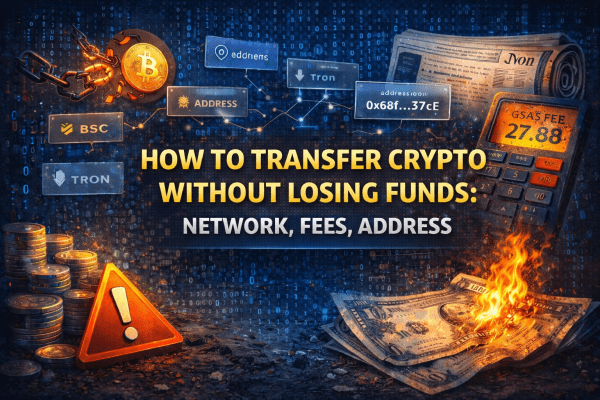
How to Transfer Crypto Without Losing Funds

Crypto transfers look simple, but most irreversible losses happen during transfers — not hacks. Choosing the wrong network, copying the wrong address, or ignoring fees can permanently destroy your funds. This guide explains how to transfer crypto safely, step by step, with real-world examples and clear rules.
How crypto transfers actually work
Crypto doesn’t move like money in a bank. A transfer is a signed transaction recorded on a blockchain.
Every transfer includes:
- blockchain network
- recipient address
- transaction fee
- confirmation by validators or miners
One mistake = no recovery.
Read more: Blockchain Explained: Blocks, Transactions, and Confirmations
Network selection: the #1 risk
The same token can exist on multiple networks.
Example:
- USDT on Ethereum
- USDT on BSC
- USDT on Tron
Sending tokens to the wrong network usually means permanent loss.
Safe network rules
- sender and receiver networks must match
- always check supported networks
- never guess
Wallet address: where funds go
Addresses are network-specific.
Common mistakes:
- sending to an exchange address without memo
- copying an address from a different chain
- sending to a smart-contract address
How to verify an address
- check first and last characters
- confirm network compatibility
- send a test transaction
Read more: What Is a Wallet Address — and Can It Be “Hacked”?
Fees: why transfers fail or cost too much
Fees are paid to the network, not wallets.
Fee depends on:
- network congestion
- blockchain type
- smart-contract complexity
Beginner mistake
Sending small amounts on Ethereum during peak hours.
Safe transfer checklist
- Confirm recipient network
- Copy address carefully
- Check memo/tag if required
- Send a test transaction
- Verify confirmation
- Send the full amount
Common beginner mistakes
- sending everything at once
- ignoring network differences
- setting fees too low
- trusting random instructions
Crypto transactions are final.
❗ Why Most Crypto Transfer Losses Are Human Errors
Crypto transfers fail not because blockchains are insecure — but because users misunderstand how they work.
The most common reasons:
- wrong network selection
- incorrect wallet address
- no test transaction
- ignoring gas fees
Blockchain transactions are irreversible by design.
🌐 Network Mismatch: The #1 Reason Funds Are Lost Forever
USDT on Ethereum is not the same as USDT on BSC or Tron.
If you send funds via an unsupported network:
- the transaction succeeds
- but assets become unrecoverable
Rule:
Sender network must exactly match receiver network.
💰 Gas Fees Explained (Without the Hype)
Gas fees depend on:
- network congestion
- transaction complexity
- validator demand
During bull markets:
- Ethereum fees skyrocket
- cheaper networks become safer alternatives
Ignoring fees often leads to stuck or failed transactions.
Read more: What Is a Gas Fee and Why Can It Get So Expensive?
🧪 Why Test Transactions Save Professionals Millions
Experienced users never send full amounts first.
A small test transfer:
- confirms address correctness
- validates network compatibility
- reveals real transaction cost
This is not paranoia — it’s discipline.
⚙️ What Happens After You Click “Send”
- Transaction is created
- Broadcasted to the network
- Picked by validators
- Added to a block
- Becomes immutable
Mistakes made before step 1 are permanent.
🚨 Common Beginner Mistakes
- copying addresses from fake websites
- using unsupported networks
- sending all funds without gas reserve
- trusting social media “helpers”
Most losses are avoidable.
🧠 Golden Rule
If you don’t fully understand the transfer — don’t send it.
Five minutes of verification beats years of regret.
FAQ
Can I recover funds sent to the wrong network?
Usually no.
What matters more: network or address?
Both are equally critical.
Why are Ethereum fees so high?
Network congestion and limited block space.
Is transferring directly from exchanges safe?
Yes — if done correctly.
✅ Read more:
- 👉 What to Do If You Sent Crypto to the Wrong Network — what to do after errors.
- 👉 What Is a Crypto Wallet: Types and How to Choose — foundational wallet choices.
- 👉 MetaMask: How to Install and Set Up Safely — practical sending example.
- 👉 Trust Wallet: Pros and Cons for Beginners — transfers on mobile.
- 👉 Multiple Wallets and Addresses: Why You Need Them — safer portfolio structuring.
Wallets
Offline Key Storage Explained: Complete Guide to Cold Storage Security for Crypto Private Keys
Your Keys Are Online Right Now — and Most People Don’t Realize It
You have a MetaMask wallet. Your seed phrase is written on paper in your desk drawer. You think your crypto is safely stored offline.
It isn’t.
MetaMask stores your encrypted private keys in your browser’s local storage — on the same computer connected to the internet that receives email, runs browser extensions, and visits websites. Your seed phrase on paper is a backup. Your keys themselves are on an internet-connected device. One malicious browser extension, one compromised npm package, one sophisticated phishing page that captures your MetaMask password — and everything is gone.
Offline key storage is the architecture that eliminates this risk entirely. It means your private keys never exist, even briefly, on any device with internet access. Not once. Not for a single transaction.
The Chainalysis 2023 report documented $1.7 billion stolen in crypto hacks that year. Nearly all of it exploited keys that were at some point accessible from an internet-connected environment. None of the well-documented hardware wallet users who kept keys genuinely offline lost funds to software-based attacks during the same period.
This guide explains exactly how offline key storage works, the spectrum of methods from paper wallets to air-gapped hardware devices, when each approach is appropriate, the mistakes that convert “offline” storage into online vulnerability, and how to implement genuine cold storage for your specific situation.
What Is Offline Key Storage
Offline key storage (also called cold storage) is the practice of keeping cryptographic private keys on devices or media that have never connected to the internet — and that are only brought near internet-connected devices when a transaction must be signed, using protocols that prevent key exposure even during that limited contact.
The term “offline” is not casual. It means the device holding the key has no network interface, has never transmitted the key digitally, and cannot be accessed remotely under any circumstances. A computer that is “turned off” is not offline storage — it was online before being turned off, and its storage may have been compromised during that time.
What “Key” Actually Means in This Context
A private key in asymmetric cryptography is a large random number — 256 bits for Bitcoin and Ethereum — that serves as the mathematical proof of ownership for an address. From the private key, a public key is derived. From the public key, a wallet address is derived. These derivations are one-way: you can go from private key to address, but not from address to private key.
The seed phrase (12 or 24 words following the BIP39 standard) is a human-readable encoding of a master private key from which all wallet keys and addresses are derived via BIP32/BIP44. Protecting the seed phrase is protecting all keys derived from it. This is what offline key storage ultimately protects.
Offline key storage is considered the safest way to protect crypto assets, but first it’s important to understand how wallets function what is a crypto wallet and how it works.
The Hierarchy of Cold Storage Methods
Level 1 — Paper wallet: the private key or seed phrase written or printed on paper, never digitally generated on an internet-connected device.
Level 2 — Air-gapped computer: a dedicated computer that has never been connected to the internet, used only for key generation and transaction signing, with data transferred via QR codes or USB drives.
Level 3 — Hardware wallet in pure cold storage mode: a Ledger or Trezor device that generates keys internally, stores them in a dedicated Secure Element chip, and signs transactions without the key ever leaving the device — even when connected to a computer via USB.
Level 4 — Hardware wallet in air-gapped mode: devices like ColdCard that operate without USB connection, using microSD cards or QR codes for unsigned transaction import and signed transaction export.
How Offline Key Storage Works: The Mechanics of Signing Without Exposing Keys
The Transaction Signing Problem
When you send cryptocurrency, what the network needs is a signed transaction — a mathematical proof that the private key holder authorized this specific transfer of these specific tokens to this specific address. The network does not need the private key itself; it needs the signature the key produces.
In a software wallet (MetaMask, Trust Wallet), the private key is in RAM on your device while it produces the signature. An attacker with memory access at that moment has the key. In offline key storage, the key produces the signature inside an isolated environment — and only the signature leaves.
How Air-Gapped Signing Works
An air-gapped transaction follows this data flow:
- Transaction creation (on internet-connected device): the user constructs an unsigned transaction using wallet software — specifying recipient, amount, and fee. This produces a PSBT (Partially Signed Bitcoin Transaction) or equivalent format.
- Transaction transfer to offline device (via QR code or microSD): the unsigned transaction data moves to the air-gapped device. No network connection is used. QR codes contain only the transaction data — not keys.
- Signing on the offline device: the air-gapped device uses the stored private key to produce a cryptographic signature for the transaction. The signed transaction now exists on the offline device.
- Signed transaction export (via QR code or microSD): the signed transaction — which contains no key information, only the signature — is transferred back to the internet-connected device.
- Broadcast (on internet-connected device): the signed transaction is broadcast to the blockchain network for confirmation.
At no point in this process does the private key leave the air-gapped device or travel through any digital transmission channel.
How Hardware Wallets Implement Offline Key Storage
A hardware wallet like Ledger Nano X or Trezor Model T implements a partial version of the air-gapped model. The device contains a Secure Element chip (on Ledger) or a secure microcontroller (on Trezor) that stores the private key and performs signing operations. When connected to a computer via USB:
- The computer can send transaction data to the device
- The device displays transaction details on its own screen
- The user physically presses a button to authorize signing
- The device returns the signature (not the key) to the computer
- The computer broadcasts the signed transaction
The key never travels through the USB connection. Even if the connected computer is completely compromised, an attacker cannot extract the key — they can only see what the device shows on its own screen, which is why verifying transaction details on the device screen (not the computer screen) is mandatory.
Why Offline Key Storage Matters: The Threat It Eliminates
Software Wallet Vulnerabilities That Cold Storage Prevents
Every software wallet vulnerability that has resulted in theft shares a common property: the key was accessible from an internet-connected environment at some point. Methods that have been used successfully:
Clipboard hijackers: malware that monitors clipboard contents and replaces copied addresses. Does not require key access — redirects transactions. But clipboard hijackers are often bundled with key-extracting malware.
Browser extension compromise: malicious or compromised browser extensions can read local storage where MetaMask stores encrypted keys. With sufficient access, they can capture the decryption key when the user types their MetaMask password.
Keyloggers: software that captures every keystroke — including MetaMask passwords and seed phrases typed during wallet recovery.
Memory scrapers: malware that scans RAM for patterns matching private keys. When MetaMask decrypts a key for signing, it briefly exists in memory.
Phishing pages with form capture: fake MetaMask unlock pages that capture passwords before redirecting to the real extension.
None of these attacks work against keys stored in a Ledger Secure Element or on a permanently air-gapped computer. The attack surface doesn’t exist.
The Scale of Losses Offline Storage Prevents
Quantifying prevented losses is inherently difficult, but the documented losses from software wallet compromises establish the stakes:
- The 2023 Atomic Wallet hack: $100 million stolen from software wallet users through a compromised application. Hardware wallet users with keys stored offline were not affected.
- The 2022 Slope Wallet compromise: $8 million drained when the mobile wallet application transmitted seed phrases to the company’s logging infrastructure. An air-gapped key would never have been in the application at all.
- Individual clipboard hijacker losses: estimated hundreds of millions annually across all users, through address substitution during transactions.
Hardware wallet users and genuinely air-gapped storage users are not represented in these statistics. They lose funds through phishing attacks that trick them into entering their seed phrase online — a social engineering failure, not a cold storage failure.
Where Offline Key Storage Applies: Use Cases and Deployment Contexts
Long-Term Individual Holding (HODLing)
The primary use case. An investor who purchases BTC or ETH and plans to hold for years has no operational need to access funds frequently. A hardware wallet or even a well-constructed paper wallet provides appropriate security with minimal inconvenience. Transactions occur infrequently — perhaps quarterly or annually for rebalancing. The offline signing ceremony is a minor inconvenience relative to the security benefit.
Institutional and Corporate Crypto Treasury
Organizations holding cryptocurrency for operational or investment purposes face both security and governance requirements. Offline key storage in multisig configurations — where multiple hardware wallets held by different people must all sign transactions — provides:
- Protection against insider theft (one signer can’t move funds)
- Protection against external attack (compromising one device isn’t sufficient)
- Audit trail for all transactions
- Business continuity if one signer becomes unavailable
High-Net-Worth Individual Storage
Individuals with significant holdings face risks beyond software attacks: physical coercion, targeted phishing, social engineering against family members. Geographic distribution of hardware wallets or seed phrase backups — combined with multisig requiring devices in different locations — addresses these threat models in ways that software wallets cannot.
NFT and Digital Asset Preservation
High-value NFTs held for artistic or investment purposes benefit from offline storage exactly as financial crypto holdings do. The contract that proves ownership is identical in security requirements to a BTC holding.
Developer and Protocol Deployer Key Security
Developers who control protocol admin keys, upgrade mechanisms, or treasury multisigs have a security obligation to the protocol’s users. Compromised developer keys have resulted in protocol exploits worth hundreds of millions. Air-gapped signing for high-privilege operations is standard practice at security-conscious organizations.
Risk Score: Evaluating Your Current Key Storage Setup
Risk Score = (Internet_exposure × Key_accessibility) + (Single_point_of_failure × No_backup)
Each parameter rated 0 to 5:
- Internet_exposure — how connected is the key storage device (0 = permanently air-gapped, 5 = keys on cloud-synced device)
- Key_accessibility — how easily can keys be accessed by software (0 = dedicated Secure Element chip, 5 = unencrypted on disk)
- Single_point_of_failure — is there only one copy of the key (0 = multiple secure backups, 5 = single copy with no backup)
- No_backup — is there a tested recovery procedure (0 = regularly tested backup in secure locations, 5 = no backup exists)
Score interpretation:
- 0–5: Genuine cold storage with good practices
- 6–12: Partial cold storage, identifiable improvement areas
- 13–20: Significant vulnerability, cold storage not effectively implemented
- 21–50: Keys effectively online, critical action needed
Scored Examples
| Storage method | Internet exposure | Key accessibility | Single point of failure | No backup | Score | Assessment |
|---|---|---|---|---|---|---|
| ColdCard + microSD, 3 backups | 0 | 0 | 0 | 0 | 0 | Excellent |
| Ledger Nano X + paper backup | 1 | 0 | 0 | 0 | 1 | Excellent |
| MetaMask + Ledger as signer | 2 | 0 | 1 | 1 | 5 | Good |
| MetaMask only, seed on paper | 4 | 3 | 2 | 1 | 19 | High risk |
| Exchange account + no self-custody | 5 | 5 | 3 | 3 | 31 | Critical |
| Seed photo in iCloud | 5 | 5 | 2 | 2 | 27 | Critical |
The Mistakes That Convert “Offline” Storage Into Online Vulnerability
Mistake 1: Generating Keys on an Internet-Connected Device and Then Writing Them Down
Many people believe they’ve created offline storage by generating a wallet in MetaMask, writing the seed phrase on paper, and then “using the hardware wallet.” The problem: the seed phrase was generated on an internet-connected computer and was present in browser memory during generation. If malware was present at that moment, the key was compromised before it ever reached paper. Genuine offline key generation must happen on a device that has never been internet-connected.
Most users rely on hardware wallets for cold storage, as they keep private keys isolated from online threats hardware wallet ledger for cold storage security hardware wallet ledger for cold storage security.
Mistake 2: Photographing the Seed Phrase
A seed phrase photograph is not offline storage. The photograph exists on a camera roll that synchronizes to iCloud, Google Photos, or similar services. Cloud storage is internet-accessible. A compromised cloud account or a cloud service breach exposes the seed phrase despite it “being on paper.” Photographs of seed phrases have been recovered from phone backups, cloud services, and deleted file storage in documented theft cases.
Mistake 3: Storing the Seed Phrase Digitally in Any Format
“I encrypted it and saved it as a text file” — the encryption question is whether you can guarantee the encryption key is never exposed. On a computer that connects to the internet and runs software, the answer is no with sufficient confidence. Encrypted digital storage of seed phrases is meaningfully more secure than unencrypted storage, and meaningfully less secure than physical-only storage.
Specific digital storage methods that create false security:
- Password managers (subject to password manager breaches)
- Encrypted USB drives (subject to the device they’re plugged into)
- Email drafts saved but “never sent”
- Notes applications (usually cloud-synced)
- Spreadsheets on cloud storage
Mistake 4: Using a Hardware Wallet With a Seed Phrase Photographed or Stored Digitally
A hardware wallet with its seed phrase photographed is not cold storage — it’s a hardware wallet whose backup is compromised. The hardware wallet protects against software attacks on the current device. The photographed seed phrase provides a path to all funds through the backup. The security level is determined by the weakest component.
Mistake 5: Connecting a Hardware Wallet to an Unverified or Compromised Computer
A hardware wallet signing a transaction for a compromised computer is still secure — the key never leaves. But a hardware wallet connected to a compromised computer can be presented with a manipulated transaction. If the user approves a transaction showing a legitimate address on the computer screen (which is controlled by malware) without verifying against the hardware wallet’s own screen, funds go to the attacker. The hardware wallet screen is the authoritative display; the computer screen is not trusted.
Mistake 6: Buying a Secondhand Hardware Wallet Without Resetting It
A used hardware wallet may have been set up by the previous owner with a seed phrase they still possess. Depositing funds to an address derived from that seed phrase — even if you set a new PIN — may still be accessible to the previous owner if they know the original seed phrase. Hardware wallets must always be factory reset and initialized with a newly generated seed phrase when received from any source other than the manufacturer.
Mistake 7: Single-Location Physical Storage
Paper backup in a home safe protects against software attacks but not against the home burning down, flooding, or being burglarized. A single physical backup is a single point of physical failure. Two geographically separated backups — home plus bank safe deposit box, home plus trusted family member in another city — eliminate the single-location vulnerability.
How to Implement Offline Key Storage: Step-by-Step Guide
Mini-Guide 1: Setting Up Genuine Cold Storage With a Ledger Nano X
Step 1 — Purchase from the official source
Order only from ledger.com or an authorized retailer listed on the Ledger website. Verify the box is factory sealed — holographic stickers, undamaged security labels. If any sign of prior opening exists, return the device.
Step 2 — Verify the device is not pre-initialized
When first powered on, a genuine Ledger device will show “Welcome to Ledger Nano X” and offer to set up as a new device or restore from recovery phrase. If it shows a pre-existing wallet, it was initialized by someone else — return it immediately.
Step 3 — Set up in a private, physically secure environment
No cameras, no other people present who don’t need to see the seed phrase, phone face-down or in another room. This is when the seed phrase will be displayed — treat this moment with the same security as you would protect physical cash of equivalent value.
Step 4 — Set a strong PIN
8 digits, not a birthday, anniversary, or sequential number. Three wrong PIN entries wipe the device — this is a security feature, not a problem.
Step 5 — Record the seed phrase by hand
Write each word on the paper cards included with the device. Write slowly and legibly. Check each word against the device display after writing it. Do not photograph, type, or speak the words aloud.
Step 6 — Verify the written seed phrase
Ledger will ask you to confirm specific words by position. This verifies your written backup is correct before you rely on it.
Step 7 — Test recovery before storing significant funds
On a separate device or after a factory reset of the same device, restore from your written seed phrase. Verify the same addresses appear. This is the only way to confirm your backup is functional.
Step 8 — Create a second physical backup
Copy the seed phrase to a second physical medium. For amounts above $5,000: steel or titanium plate (Cryptosteel, Bilodeau). For smaller amounts: a second paper copy in a different location. Store the second backup in a geographically separate location.
Step 9 — Record the configuration information
Separately from the seed phrase: note which derivation paths you’re using for which blockchains, the wallet software used, and any non-standard settings. This information is needed for recovery if the wallet software changes.
Mini-Guide 2: Air-Gapped Transaction Signing With ColdCard
Step 1 — Set up ColdCard as air-gapped device
ColdCard Mk4 supports full air-gapped operation. No USB connection to a computer is required for its primary function. Power via USB-C from a power bank or wall adapter (power only, no data).
Step 2 — Set up Sparrow Wallet on your internet-connected computer
Sparrow Wallet supports importing a ColdCard watch-only wallet — a wallet that can see your balances and create unsigned transactions, but cannot sign.
Step 3 — Export the public key from ColdCard
On ColdCard: Advanced/Tools → Export Wallet → Generic JSON. This exports your extended public key (xpub) to microSD. The xpub allows generating all your addresses without the private key — it’s safe to transfer to Sparrow.
Step 4 — Create an unsigned transaction in Sparrow
In Sparrow with your watch-only wallet loaded: initiate a send transaction as normal. Instead of signing, Sparrow exports a PSBT (Partially Signed Bitcoin Transaction) to a file.
Step 5 — Transfer PSBT to ColdCard via microSD
Copy the PSBT file to the microSD card. Insert the microSD into ColdCard. On ColdCard: Ready to Sign → select the PSBT file → review transaction details on the ColdCard screen → sign.
Step 6 — Transfer signed transaction back to Sparrow
ColdCard writes the signed transaction to the microSD. Copy the signed file to your internet-connected computer. In Sparrow: load the signed transaction → broadcast to network.
At no point was there a USB data connection between ColdCard and any internet-connected device.
Cold Storage Implementation Checklist
- ✅ Hardware wallet purchased directly from manufacturer website
- ✅ Packaging verified intact and factory sealed
- ✅ Device initialized fresh — no pre-existing seed phrase present
- ✅ Seed phrase written by hand, word by word, verified against device display
- ✅ Zero digital copies of seed phrase (no photos, typed files, cloud notes)
- ✅ PIN set: 8 digits, not personally significant dates or sequences
- ✅ Recovery tested before significant funds deposited
- ✅ Second physical backup in geographically separate location
- ✅ For air-gapped use: transaction signing verified through QR or microSD workflow
- ✅ Configuration information documented separately from seed phrase
- ✅ For multisig: all signer devices tested individually and in combination
Real Cases: What Happens When Offline Key Storage Works — and When It Fails
Case 1: The Atomic Wallet Hack — $100M Lost, Hardware Wallet Users Unaffected
June 2023. Atomic Wallet, a popular software wallet application, was compromised through what blockchain analysts determined was a supply chain attack on the application itself. Approximately 5,500 users lost funds totaling $100 million.
The mechanism: the compromised application was transmitting seed phrases or keys to attackers, likely through the app’s code having been modified at some point in the build or distribution process. Users who trusted the software with their keys were exposed.
Who was unaffected: users who held their seed phrases on hardware wallets and used Atomic Wallet only as an interface — without the actual key material being in Atomic Wallet’s storage — were not impacted. The compromise was in the application’s key management, not in the blockchain itself.
The number: Chainalysis estimated the attack was executed by the Lazarus Group, a North Korean state-sponsored hacking organization. The $100M joins roughly $1.7B in total crypto theft attributed to this group — all targeting software wallet users and exchange hot wallets.
What offline key storage would have changed: if the $100M in affected funds had been held with seed phrases on hardware wallets, the Atomic Wallet compromise would have been irrelevant. The application could have been as compromised as it was — it would have had no keys to steal.
For advanced protection, users often combine cold storage with multisig setups multisig wallet for maximum crypto security.
Case 2: Stefan Thomas and 7,002 Bitcoin — The Cost of a Single Point of Failure
A case frequently cited but worth examining in detail: Stefan Thomas, an early Bitcoin developer, received 7,002 BTC as payment for a video in 2011. He stored the keys on an encrypted IronKey USB device — a legitimate hardware approach — but stored the password in a digital password database that was subsequently lost.
The specific failure: the key storage itself (IronKey) was appropriate. The password to access the key storage was a single point of failure stored digitally without backup. The IronKey allows only 10 password attempts before irreversibly destroying its contents. As of the most recent public updates, Thomas has 2 attempts remaining.
The 2024 value: at $60,000 per BTC, the inaccessible amount is approximately $420 million.
What proper offline storage practice would have changed: a seed phrase (rather than an IronKey encrypted key) stored with multiple physical backups in separate locations. Or the IronKey password stored with the same care as the key itself — physical, multiple copies, geographically distributed. The hardware approach was partially correct; the backup architecture failed.
The lesson for current users: offline key storage is not just about where the key lives. It’s about the complete recovery path — every element of what would be needed to access the funds must be subject to the same backup discipline.
Case 3: The 2020 Twitter Bitcoin Scam — Hardware Wallet Users Keep Their Funds
July 15, 2020. Twitter accounts of Barack Obama, Joe Biden, Elon Musk, Apple, and dozens of others were compromised and used to post bitcoin scam messages (“send 1 BTC, receive 2 BTC back”). The attack involved Twitter employees being social engineered into providing admin access.
The total received by the scam addresses: approximately $120,000 in Bitcoin from users who sent funds voluntarily.
What the attackers attempted but failed at: accessing the verified accounts’ private Bitcoin wallets. Several public figures targeted in the attack held Bitcoin in documented wallets. The attackers could control the Twitter accounts but could not access the private keys — because those keys were either on hardware wallets or in custody arrangements that required additional authentication.
The distinction: social engineering attacks against web platforms can be highly effective. They do not translate into key access when keys are held offline. A compromised social media account does not mean compromised crypto holdings.
Case 4: Gradual Migration From Software to Hardware — $340,000 Protected
A documented case from the DeFi community (2022): a user with approximately $340,000 in various DeFi positions across Ethereum and Polygon received a warning from a security researcher that their MetaMask browser profile had been flagged in a credential database dump — meaning their MetaMask password may have been exposed.
The situation: the user had recently received a Ledger Nano X as a gift but hadn’t yet migrated their funds to it.
The 48-hour window: from the security alert to when the attacker (who had apparently already compromised the MetaMask data) attempted to drain the wallet, the user had approximately 48 hours. During this time, they migrated all accessible funds to addresses controlled by the new Ledger wallet — whose seed phrase was generated on the Ledger device itself, never exposed to the compromised computer.
The outcome: $323,000 of the $340,000 was successfully migrated before the attacker’s drain attempt. The remaining $17,000 was in locked DeFi positions that couldn’t be moved in time. The attacker successfully drained the $17,000 and found the other addresses empty.
The lesson: hardware wallet setup is urgent, not something to defer. The window between compromise and loss can be measured in hours.
Comparing Offline Key Storage Methods
| Method | Key generation security | Transaction signing | Backup portability | Physical durability | Complexity | Best for |
|---|---|---|---|---|---|---|
| Paper wallet (offline generated) | High (if done correctly) | Requires import to sign | High (paper is portable) | Low (fire, water, wear) | Low | Small holdings, true cold storage archive |
| Steel/titanium seed backup | N/A (backup medium only) | N/A (backup only) | High | Very high | Low | Seed phrase backup for any method |
| Hardware wallet (Ledger/Trezor) | Very high (Secure Element) | USB-connected signing | High (seed phrase) | High (chip protected) | Medium | Most individual users |
| Hardware wallet + air-gapped | Very high | QR or microSD only | High (seed phrase) | High | High | Security-critical holdings |
| ColdCard (Bitcoin-only, air-gapped) | Maximum | microSD/NFC only | High (seed phrase) | High | High | Bitcoin maximalists, maximum security |
| Air-gapped computer | High (if setup correctly) | QR or USB transfer | High (seed phrase) | Medium | Very high | Technical users, institutional |
| Multisig hardware wallets | Very high per device | Requires M-of-N signing | Complex (multiple seeds) | High per device | Very high | Large amounts, organizations |
How Scammers Target Offline Key Storage Users
The Seed Phrase “Verification” Attack
The most successful attack against hardware wallet users doesn’t compromise the hardware wallet — it tricks the user into entering the seed phrase somewhere else. The attack arrives as:
- An email from “Ledger” or “Trezor” warning of a critical security issue requiring “seed phrase verification”
- A phishing site visually identical to the hardware wallet’s companion app (Ledger Live, Trezor Suite)
- A Discord or Telegram message from fake “support” offering to help with a technical issue
The seed phrase is the master key. Anyone who receives it has complete access to all funds derived from it, regardless of what hardware wallet the keys were originally generated on. Legitimate hardware wallet manufacturers never request seed phrases through any channel under any circumstances.
The Supply Chain Attack on Hardware Wallets
A legitimate-looking hardware wallet purchased through an unauthorized reseller may have been modified. Documented attack vectors include:
- Pre-initialization with a known seed phrase (seller retains a copy)
- Physical modification of the device internals
- Malicious firmware installed before shipment
Detection: genuine Ledger and Trezor devices present a “new device setup” screen on first power-on. They do not arrive with wallets already configured. Any device that arrives “ready to use” with a pre-configured wallet should be returned immediately.
The Disaster Urgency Attack
“Your wallet was affected by the recent security breach. You have 24 hours to verify your seed phrase or your funds will be frozen.” Urgency combined with fear of loss is designed to short-circuit careful evaluation. The claim is technically impossible — blockchain addresses cannot be “frozen” by a wallet manufacturer, and no legitimate security response requires seed phrase submission. The urgency is manufactured to prevent the target from taking time to verify the communication through official channels.
The Fake Recovery Service
After publicized hacks or user-reported losses, scammers create “recovery services” that claim to restore lost crypto through various proprietary methods. These services target people who have already lost funds and may be desperate. They require the victim to provide the seed phrase “for the recovery process” — which simply allows the scammer to drain any remaining funds.
Who Is at Risk
| Profile | Core vulnerability | Specific risk scenario |
|---|---|---|
| Software wallet users with significant holdings | Keys exposed to internet-connected environment | Malware, compromised application, browser extension exploit |
| Hardware wallet users who stored seed phrase digitally | Physical security without backup security | Cloud breach, photo library compromise |
| Users who purchased hardware wallets from resellers | Pre-initialized or modified device | Seed phrase known to seller, funds drained after deposit |
| Hardware wallet users who enter seed phrase online | Social engineering into bypassing cold storage | Phishing email from “Ledger” requesting verification |
| Single-location physical backup holders | Physical loss of backup | Fire, flood, burglary of storage location |
| Organizational multisig without documented procedures | Key man risk | Single signer departure without key transfer |
When Offline Key Storage Does NOT Work: Honest Limitations
- When the seed phrase is entered online at any point. Offline key storage is compromised the moment the seed phrase is typed into any internet-connected device. This includes restoring from seed on a software wallet for “just one transaction” — at that moment, the seed was online and the offline protection is voided.
- Against physical seizure of the device and knowledge of the PIN. If an attacker physically possesses your hardware wallet and knows your PIN, they can sign transactions. Geographic distribution and multisig configurations are the defenses against this threat model.
- For active DeFi participation. Genuine air-gapped storage requires a signing ceremony for every transaction. If you’re providing liquidity, claiming farming rewards, or managing DeFi positions daily, the operational overhead of air-gapped signing becomes prohibitive. Hardware wallets with USB connection (rather than full air-gap) provide a practical compromise.
- When the backup is inadequate. A Ledger Nano X with no seed phrase backup protects against remote attacks but not against the device being lost, damaged, or destroyed. Cold storage without adequate backup is not cold storage — it’s a single point of physical failure.
- Against quantum computing (theoretical future threat). Current elliptic curve cryptography used in Bitcoin and Ethereum would be vulnerable to sufficiently powerful quantum computers. This is a theoretical future concern, not a current threat. The mitigation — if and when quantum computing reaches this capability — would involve migrating to post-quantum cryptographic algorithms at the protocol level.
- Against user error in the signing process. Approving a transaction on a hardware wallet without reading the device screen is equivalent to signing a blank check. The hardware wallet shows the correct transaction; the computer display can show anything. Users who press confirm without verifying on the device screen negate the protection.
Myths About Offline Key Storage
| Myth | Reality |
|---|---|
| “My crypto is on the hardware wallet” | Crypto exists on the blockchain. The hardware wallet stores the key that proves ownership. The blockchain doesn’t know what hardware you use. |
| “If I turn off my computer, my keys are offline” | Keys that were on an internet-connected computer when it was on may have already been compromised. Offline storage means generated and stored offline from the beginning. |
| “Paper wallets are more secure than hardware wallets” | Paper wallets generated on internet-connected computers are not cold storage. Hardware wallets with Secure Element chips generated their keys in a more controlled environment than most computers can provide. |
| “Hardware wallet PIN = security if wallet is stolen” | A hardware wallet with a known seed phrase can be restored on a new device regardless of PIN. The PIN only protects against using that specific device without authorization. |
| “Cold storage means I can’t do DeFi” | Hardware wallets can be used as signing devices with MetaMask and other DeFi interfaces. Genuine air-gapped devices require more process but can still sign DeFi transactions. |
| “I need multiple hardware wallets for different blockchains” | One hardware wallet with one seed phrase manages keys for all supported blockchains simultaneously. Different chains derive different addresses from the same seed. |
| “Multisig is only for organizations” | 2-of-3 multisig on hardware wallets is appropriate for any individual holding above $50,000 — it eliminates single-device failure as a total-loss scenario. |
Frequently Asked Questions (FAQ)
What is offline key storage and why do I need it?
Offline key storage means keeping your cryptocurrency private keys on devices that have never connected to the internet. Software wallets (MetaMask, Trust Wallet) store keys on internet-connected devices where they’re vulnerable to malware, phishing, and application compromises. Offline storage eliminates this entire attack surface — keys in a Secure Element chip or on a permanently air-gapped device cannot be extracted through software attacks.
What is the difference between a cold wallet and a hardware wallet?
A hardware wallet (Ledger, Trezor, ColdCard) is a physical device designed specifically for offline key storage. A cold wallet is any wallet whose keys are stored offline — which could be a hardware wallet, an air-gapped computer, or even a properly generated paper wallet. All hardware wallets are cold wallets; not all cold wallets are hardware wallets.
Is a hardware wallet completely safe?
Hardware wallets eliminate software-based key extraction attacks — by far the most common cause of crypto theft. They are not immune to: seed phrase theft (if the backup is exposed), physical seizure combined with PIN knowledge, supply chain attacks (buying from unofficial sources), and social engineering attacks that trick users into entering their seed phrase online. Proper practices eliminate most of these residual risks.
What happens if my hardware wallet is lost or broken?
If your seed phrase backup is properly maintained, nothing happens to your funds. Buy a new hardware wallet, restore from seed phrase, and all addresses and funds are immediately accessible. The hardware wallet is a replaceable interface; the seed phrase is the actual wallet. Test this recovery before storing significant funds.
How do I know if my seed phrase storage is genuinely offline?
Ask these questions: Was the seed phrase displayed on a device that has never connected to the internet? Was it written by hand and never typed into any device? Is no digital copy of any kind (photo, text file, cloud note) in existence? Is the physical copy stored in a location that cannot be remotely accessed? If yes to all four, your seed phrase storage is genuinely offline.
Is a paper wallet a good form of offline key storage?
A paper wallet can be genuine cold storage if generated correctly — using an offline computer that has never connected to the internet, or a purpose-built paper wallet generator used in an air-gapped environment. Most users who believe they’ve created paper wallets have actually used internet-connected computers for generation, making the security lower than assumed. For most users, hardware wallets are more practically achievable genuine cold storage.
What is the minimum amount for offline key storage to be worth the setup?
The $79 cost of a Ledger Nano S Plus represents roughly 4% of $2,000. At any amount where 4% of the holding value is a meaningful risk mitigation cost, a hardware wallet is rational. As a practical guideline: at $2,000+ in crypto holdings, hardware wallet setup is justified. At $10,000+, it’s strongly advisable. At $50,000+, multisig with hardware wallets should be standard.
Conclusion
Rule 1. Genuinely offline key storage means the key was generated offline, stored offline, and only produces signatures (not the key itself) when used. Any moment the key material exists on an internet-connected device — generation, backup, recovery, daily signing — that moment is the attack surface. Eliminate every such moment, and you’ve eliminated software-based key theft as a risk.
Rule 2. The weakest link in your cold storage system determines your actual security level. A hardware wallet with a photographed seed phrase provides hardware-level protection against software attacks and photo-level protection for backup security. The photograph is the vulnerability. Assess every component of your storage and recovery path — not just the hardware — and bring each component to the same security standard.
Rule 3. Cold storage requires backup planning with the same rigor as key generation. A hardware wallet with no tested seed phrase recovery procedure is a single point of physical failure. Two copies of the seed phrase in two geographically separate locations, combined with a tested recovery procedure, turns a hardware wallet into genuine resilient cold storage.
The principle: offline key storage works because it removes the private key from the environment where attacks occur. Every attack that has successfully stolen cryptocurrency from a well-implemented cold storage setup has succeeded not by breaking the cryptography or the hardware, but by finding a moment when the key was exposed online — through seed phrase phishing, digital backup compromise, or supply chain attack on a purchased device. Prevent all such moments and you prevent all software-based attacks. The physical and social engineering attack surface that remains is manageable through geographic distribution, multisig, and security awareness.
The hard criterion: if your current crypto storage setup includes a seed phrase in any digital format — photograph, text file, password manager, cloud note, email — your storage is not offline regardless of what hardware you use. The seed phrase in digital format represents a recoverable path to your funds through software attack. This is a recoverable situation: print the seed phrase, verify it matches your wallet, delete every digital copy including from deleted folders and cloud trash, and verify deletion. Until that is done, the “offline” in your storage is an incomplete description.
Read more:
- What Is a Crypto Wallet and How It Works – Learn how crypto wallets store and manage assets.
- Custodial vs Non-Custodial Wallets Explained – Understand who controls your private keys.
- Ledger Nano X vs S Plus: Full Review – Hardware wallets for secure cold storage.
- Multisig Wallet Explained: How It Works – Extra protection for crypto storage.
- Phantom Wallet: Setup and Usage Guide – A popular wallet for interacting with Web3 apps.
$0.003 Appeared in Your Wallet. That’s Not a Gift.
You open your wallet. In the transaction history — an incoming transfer you never expected. A fraction of a cent in some unfamiliar token. Or 0.00000546 BTC. Or a brightly colored NFT with a claimed “value” of $0.
First instinct: random transfer, maybe a marketing airdrop. Worth trying to sell.
Don’t touch it. That’s exactly what whoever sent it is counting on.
A dusting attack is one of the most subtle attack patterns in the crypto space. It doesn’t directly compromise your wallet. It doesn’t steal your keys. It doesn’t require you to click a link. It works through your attempt to use those tiny amounts — and through that attempt, it compromises your privacy and opens pathways to far more serious attacks.
This guide covers the complete picture: what a crypto dusting attack actually is, how the tracking mechanics work, what happens with dusting attack trust wallet and coinbase wallet scenarios, what an NFT dusting attack looks like in practice, and most importantly — what to do when your wallet is dusted.
What Is a Dusting Attack in Crypto
Dust is an extremely small amount of tokens or cryptocurrency sitting at an address. The term originated in Bitcoin: amounts so small that the transaction fee to move them exceeds their value. The Bitcoin dust threshold is approximately 546 satoshis — roughly $0.003 at $60,000 per BTC.
A dusting attack is the deliberate sending of tiny amounts (dust) to a large number of addresses with the goal of either deanonymizing their owners or setting up follow-on attacks. The attacker sends dust → waits for the recipient to use or consolidate the dust UTXOs with other funds → traces the resulting transactions → maps connections between addresses → identifies the real person behind them.
Crypto dusting serves simultaneously as:
- A deanonymization tool (blockchain analytics / on-chain intelligence)
- The first step in a phishing chain
- A mechanism for “tagging” addresses for ongoing surveillance
Not all dust is an attack. Some dust is simply leftover amounts from swaps, tiny transactional residue, or legitimate marketing airdrops. The difference matters — and recognizing it is one of the core skills this guide develops.
How a Dusting Attack Works: The Tracking Mechanics
Phase 1: Mass Dust Distribution
The attacker assembles or generates a list of active crypto addresses. This requires no special access — all addresses are public on the blockchain. Blockchain analytics tools can identify active wallets, NFT holders of specific collections, addresses that have interacted with specific protocols, and whale addresses with large balances.
The attacker then sends minimal amounts: 546–1,000 satoshis in Bitcoin, 0.000001 ETH or a random token in Ethereum, or an unsolicited NFT in Solana or Ethereum.
The economics of the attack: at Solana’s $0.00025 per transaction fee, dusting 10,000 addresses costs approximately $2.50 in total. Even on Ethereum with higher fees, a funded attacker can reach hundreds of thousands of addresses for a few thousand dollars. The information gained is worth far more than the cost.
Phase 2: Monitoring and Waiting
The attacker configures monitoring across all addresses that received dust. On-chain analytics tools — whether commercial platforms like Chainalysis and Elliptic, or custom scripts — track when and how recipients interact with the dusted amounts. The attacker needs only one event: the dust UTXO appearing in a transaction alongside other funds.
Phase 3: UTXO Consolidation Tracking (Bitcoin-Specific)
This is the core mechanic in Bitcoin-specific dusting attacks, and it requires understanding the UTXO model. In Bitcoin, a transaction can combine multiple UTXOs (Unspent Transaction Outputs) from different addresses as inputs. If a user received dust at Address A and holds their main funds at Address B — and makes a transaction that uses both A and B as inputs — it becomes cryptographically provable that both addresses belong to the same wallet.
The deanonymization formula:
Address A (dust received) + Address B (main funds) → Combined Transaction Input → Proof: A and B share an owner
This exploits what blockchain analysts call the Common Input Ownership Heuristic — one of the foundational principles of on-chain transaction graph analysis. All the attacker needs is a single transaction where the dust UTXO is spent together with a “clean” UTXO. Most wallet software does this automatically through coin selection algorithms.
Phase 4: Cluster Building and Identity Attribution
Once the attacker observes that the dust address connects to other addresses through a transaction, they build a relationship graph. If any address in that cluster has been identified — through an exchange withdrawal, a public mention, a KYC-linked transaction — the entire cluster becomes attributed.
The attacker now knows the real person behind a set of addresses. This creates opportunities for:
- Targeted spear phishing with highly personalized messages
- Extortion (“we know you hold $300K in Bitcoin”)
- Physical threats (the $5 wrench attack against known large holders)
- Selling the dataset to other threat actors
Token and NFT Dusting: The EVM-Chain Mechanics
In Ethereum, Polygon, and Solana, there’s no UTXO model. Dust attacks work differently on these networks:
Token dusting: sending unknown ERC20 or SPL tokens. The goal isn’t UTXO consolidation analysis but rather:
- Inducing the user to attempt selling the token → interaction with a malicious contract
- Tagging active addresses for targeting in future phishing campaigns
- Gathering intelligence on address activity patterns and holdings
NFT dusting attack: sending unsolicited NFTs that contain links in their metadata or have contracts designed to trigger harmful approvals when the recipient attempts to interact with them. The attack path: receive NFT → try to sell or “claim” it through a linked site → sign a transaction granting approval for all tokens in the wallet.
Why Crypto Dusting Matters: The Real Consequences
The End of Pseudonymity
A widespread misconception: crypto addresses are anonymous. Technically they’re pseudonymous — not tied to a name by default, but every transaction is permanently public. Dusting attacks weaponize that public record against the user.
When an attacker establishes that several addresses belong to one person — and even one of those addresses has been identified through an exchange or public reference — they gain access to a complete on-chain profile: every address, every balance, every transaction, every protocol interaction, every counterparty.
The Path to Physical Threats
The most serious downstream scenario. A crypto community figure has their Twitter publicly linked to an address. Through dusting analysis, an attacker maps their complete portfolio: $400K in BTC across three addresses, $150K in ETH staked on Lido, active Aave positions. This intelligence enables targeted extortion and, in extreme cases, physical threats. The public blockchain is the data source. Dusting is the linking mechanism.
Next-Level Personalized Phishing
Post-deanonymization, the attacker knows which tokens you hold, which protocols you use, and when you’re active. This enables phishing that’s indistinguishable from legitimate communications: “Your Aave position is approaching liquidation threshold” sent to someone who actually has an Aave position is significantly more credible than a generic scam message.
Where and When Dusting Attacks Occur
Bitcoin: The Classic UTXO Dust
The oldest and most studied variant. Active since 2018. Particularly effective against users whose wallets automatically consolidate UTXOs. Whale addresses — publicly visible on-chain — are disproportionately targeted because the intelligence value of deanonymizing a $10M wallet justifies the attack cost.
Ethereum and EVM Networks: Token and NFT Dusting
The NFT dusting attack wave peaked between 2021 and 2023. Thousands of wallets received unsolicited NFTs linking to “claim sites” or containing contracts designed to trigger malicious approvals. Dusting attack Coinbase wallet and dusting attack Trust Wallet are common search queries precisely because these wallets serve large, often less technical user bases who are more likely to interact with unfamiliar tokens.
Solana: SPL Token Spam
In Solana’s account model, maintaining a token account requires paying “rent” in SOL. Spam token distributions create dust accounts that literally clutter the wallet interface. Phantom and other Solana wallets actively flag suspicious tokens precisely because the scale of SPL token spam made it a significant user experience problem.
A crypto dusting attack usually targets non-custodial wallets, so it’s important to understand how crypto wallets work in the first place what is a crypto wallet and how it works.
Targeted Attacks on Known Addresses
DAO treasuries, DeFi protocol deployers, well-known wallet addresses from public transactions — all receive dust regularly because they’re publicly identifiable as high-value targets. This isn’t random — it’s intelligence-driven targeting using publicly available on-chain data.
Risk Score: How Dangerous Is the Dust in Your Wallet
Risk Score = (Source × Contract_reputation) + (Metadata_links × Asset_type)
Each parameter rated 0 to 5:
- Source — how known is the sender (0 = verified project with history, 5 = completely anonymous address with no prior activity)
- Contract_reputation — how vetted is the token/NFT contract (0 = verified and audited, 5 = deployed recently without verification)
- Metadata_links — does the NFT or token description contain URLs (0 = none, 5 = aggressive CTA link to external site)
- Asset_type — type of received dust (0 = native network coin with no metadata, 5 = NFT with interactive content and claim links)
Interpretation:
- 0–5: Probably harmless dust (swap residue, legitimate airdrop)
- 6–12: Moderate risk — don’t interact, mark as spam
- 13–20: High risk — probable attack
- 21–50: Critical risk — do not interact under any circumstances
Risk Score Examples
| Dust type | Source | Contract | Links | Asset type | Score | Verdict |
|---|---|---|---|---|---|---|
| Swap residue on Uniswap | 0 | 0 | 0 | 0 | 0 | Safe |
| Legitimate marketing airdrop | 1 | 1 | 1 | 1 | 4 | Low risk |
| Unknown token from anonymous address | 4 | 4 | 2 | 2 | 20 | High risk |
| NFT with “claim reward” link | 4 | 5 | 5 | 5 | 45 | Critical |
| 546 sat of unknown origin | 3 | 0 | 0 | 1 | 9 | Moderate risk |
The Most Costly Mistakes When Encountering Dust
Mistake 1: Trying to Sell or Swap an Unknown Token
The most dangerous action a user can take. You see $80 in an unfamiliar token and try to sell it on a DEX. The swap fails — no liquidity. You search Google for “how to sell [token name].” The first result is a phishing site with instructions to “unlock liquidity” by signing an approval transaction. That transaction grants unlimited approval for all your real tokens.
This is the honey pot mechanic — the token is deliberately constructed so it cannot be sold through normal means. The displayed “value” is entirely fabricated. The only thing real about it is the drain that follows your approval.
Mistake 2: Following Links in NFT Metadata
An NFT arrives with attractive artwork and a description: “Exclusive holder airdrop. Claim at: exclusive-nft-rewards.xyz.” Visiting that link → connecting your wallet → signing what appears to be a claim transaction → setApprovalForAll grants the contract access to every NFT you own. Never follow URLs embedded in metadata of unsolicited NFTs.
Mistake 3: Spending a Dust UTXO in Your Next Bitcoin Transaction
Bitcoin wallet software often uses automatic coin selection that may include dust UTXOs as transaction inputs without prompting you. This consolidates the dust address with your main addresses — exactly what the attacker needs. The solution is Coin Control: manually selecting which UTXOs to spend and explicitly freezing dust UTXOs.
Mistake 4: “Accepting” or “Importing” an Unknown NFT
Some sites prompt users to “accept” an NFT that arrived in their wallet — supposedly to display it properly or access its features. Pressing “Accept” or “Claim” on an unfamiliar site means signing an unknown transaction. The site’s UI does not determine what the transaction actually does.
Mistake 5: Dismissing Wallet Warnings
Trust Wallet, Phantom, MetaMask, and Coinbase Wallet all display warnings on suspicious tokens and NFTs: “Unverified,” “Potential spam,” “Suspicious activity.” These warnings exist specifically because dusting and honey pot attacks are common. Treating them as inconveniences rather than signals is a documented path to loss.
Mistake 6: Assuming Small Value Means Small Risk
“It’s only $0.02 — what’s the harm in trying?” The risk isn’t correlated with the displayed value of the dust. The risk is that any interaction with a malicious contract or phishing site can drain your entire wallet — not just the dust token. The dust is the lure. Your real holdings are the target.
How to Assess and Respond to Dust: Step-by-Step Guide
Mini-Guide: What to Do When an Unknown Token or NFT Appears
Step 1 — Don’t panic and don’t touch anything
Receiving dust is not inherently dangerous. The danger activates only when you interact with it. Don’t swap, don’t sell, don’t click, don’t “accept” anything.
Step 2 — Check the sender address on a block explorer
Copy the sender’s address. Open Etherscan, Solscan, or the appropriate explorer for your network. Look for:
- How many addresses received the same transaction (if thousands — mass distribution)
- Whether the token contract is verified
- When the contract was deployed
- The sender’s transaction history
Step 3 — Verify the token or NFT contract
For ERC20 tokens: Etherscan → Contract tab → is the source code verified? For NFTs: check OpenSea for collection verification status Run the contract address through Honeypot.is to check for honey pot mechanics Check Token Sniffer for automated risk assessment of ERC20 contracts
Step 4 — Make an informed decision
If it’s a verified project with a legitimate announcement: find the official site through CoinGecko or the project’s verified Twitter. Never through links in the token’s own metadata.
If the source is unknown or suspicious: ignore it entirely. Hide or mark as spam in your wallet interface.
Step 5 — Hide or mark as spam
- Phantom (Solana): right-click the NFT → Mark as Spam or Hide
- MetaMask: Hide Token in the token menu
- Trust Wallet: long press the token → Hide
- Coinbase Wallet: Settings → Hidden Assets for management
Step 6 — For Bitcoin: use Coin Control to freeze dust UTXOs
If you received suspicious dust in a Bitcoin wallet, mark the UTXO as “do not spend”:
- Electrum: Coins tab → right-click → Freeze
- Sparrow Wallet: UTXOs tab → right-click → Freeze UTXO
- Wasabi Wallet: UTXOs section → do not mark for spending
A frozen UTXO is excluded from automatic coin selection. It will never be combined with your main funds unless you explicitly unfreeze it.
Safe Response to Dust Checklist
- ✅ Unknown tokens and NFTs — don’t sell, don’t swap, don’t click
- ✅ Wallet warnings (Unverified, Spam) treated as real signals
- ✅ URLs in NFT metadata never followed
- ✅ Bitcoin: Coin Control enabled, suspicious UTXOs frozen
- ✅ Token contracts checked on Etherscan before any action
- ✅ Suspicious tokens hidden or marked as spam in wallet
- ✅ Not searching Google for “how to sell [unknown token name]”
- ✅ For significant holdings: multiple addresses used (address isolation)
Real Cases: Dusting Attacks With Specific Numbers
Case 1: Litecoin Network Dusting — 295,000 Addresses Hit
April 2019. The Litecoin network experienced a coordinated dusting attack affecting approximately 295,000 addresses. Each received 0.00111 LTC — a small amount with negligible value but enough to force wallet software to track it as an UTXO.
The attack was attributed to a blockchain analytics firm testing the capabilities of its address clustering technology. The dust was used as a controlled experiment: which addresses would consolidate the dust UTXO with other funds, confirming ownership relationships?
The economics: at the time, 0.00111 LTC per address × 295,000 addresses = approximately 327 LTC total, worth roughly $27,000. The dataset of address clusters generated was worth significantly more for commercial blockchain analytics.
What followed: Litecoin developers used the incident to document the attack pattern in detail, leading to improved guidance on UTXO management for Litecoin users. The event became a reference case for UTXO-based dusting mechanics.
Lesson: dusting attacks aren’t always criminal. Commercial analytics firms use similar techniques for legitimate blockchain monitoring. But the mechanics are identical — and the privacy implications for users are the same regardless of who’s running the analysis.
Case 2: The $8.9 Million NFT Dusting Wave on Ethereum
- A coordinated NFT dusting campaign targeted Ethereum addresses that held blue-chip NFTs — BAYC holders, CryptoPunks owners, and Azuki collectors. The attackers used on-chain data to specifically identify high-value NFT wallets rather than mass-mailing random addresses.
The dusted NFTs were named to imply legitimacy: “BAYC Season 2 Airdrop,” “Azuki Partner Claim,” “Mutant Ape Evolution.” Each contained a metadata link to a site requiring wallet connection and a “confirmation” transaction.
The confirmation transaction was setApprovalForAll on the victim’s NFT contract — granting the malicious contract the right to transfer every NFT the user owned.
Verified losses: blockchain analytics firm PeckShield tracked losses from this specific campaign at $8.9 million across 127 confirmed victims over a 6-week period. Average loss per victim: $70,000. The targeting of high-value holders amplified the damage dramatically compared to random-distribution attacks.
Lesson: NFT dusting attacks aren’t blind spam. The most damaging campaigns are precision-targeted using publicly available on-chain data. Holding valuable NFTs in an address with a transaction history makes that address a more attractive target, not a safer one.
Case 3: Solana SPL Token Spam — The Wallet Flooding Problem
Mid-2022 through 2023. Solana’s low transaction fees (approximately $0.00025) enabled a wave of SPL token spam that created a unique version of the dusting problem. Attackers distributed hundreds of thousands of spam token accounts to active Solana addresses.
The twist: in Solana’s account model, each token account requires a small amount of SOL as “rent” to maintain. Users who tried to clear the spam from their wallets by closing token accounts could actually receive small SOL refunds — incentivizing interaction with the spam ecosystem.
Several campaigns used token names mimicking legitimate projects: “Bonk2,” “USDC Bonus,” “SOL Reward.” The tokens themselves were worthless, but the associated “claim sites” followed the standard honey pot pattern.
Scale: at peak, Solana on-chain data showed multiple campaigns distributing tokens to 500,000+ addresses per campaign. Phantom’s spam filter team reported processing millions of flagged token accounts during this period.
Lesson: low-fee networks amplify dusting attack economics. When the cost of reaching 1 million addresses is $250, there’s no economic barrier to mass distribution.
Case 4: Targeted Bitcoin Dusting of OTC Desk Addresses
- A sophisticated Bitcoin dusting campaign targeted addresses associated with large over-the-counter (OTC) trading desks — identifiable on-chain by their characteristic transaction patterns: large round-number amounts, frequent interactions with known exchange addresses, high-velocity activity.
The attacker sent 547–601 satoshi to 12,000 addresses matching these patterns. The goal wasn’t random — it was to establish address clusters associated with OTC activity, then use that intelligence to identify which exchanges or institutional players were involved in specific large transactions.
The intelligence gathered: by monitoring which dust UTXOs were consolidated in subsequent transactions, the attacker built a map of OTC desk wallet infrastructure. This information has commercial value for front-running strategies, regulatory intelligence gathering, or competitive analysis.
What made this different: the victims weren’t individual retail users. They were professional trading operations. The dust was so small that automated treasury management software consolidated it without human review — exactly what the attacker needed.
Lesson: dusting attacks scale upward. The same mechanic that targets individual privacy also works against institutional wallet infrastructure. Automated systems are especially vulnerable because they make decisions without human judgment about individual UTXOs.
Since users fully control their assets, understanding wallet types and security responsibility is essential custodial vs non custodial wallets explained simply.
Comparing Dusting Attack Types
| Type | Blockchain | Mechanic | Primary Threat | Attacker’s Goal |
|---|---|---|---|---|
| UTXO dusting | Bitcoin, Litecoin | UTXO consolidation | Deanonymization | Address clustering, privacy |
| Token honey pot | Ethereum/EVM | Fake value + phishing site | Wallet drain via approve | Token theft |
| NFT dusting | ETH/Solana | Approve via claim site | NFT portfolio drain | NFT theft, privacy data |
| SPL spam | Solana | Account flooding | Interface clutter + phishing | Privacy data, phishing |
| Targeted institutional | Bitcoin | OTC pattern matching | Intelligence gathering | Front-running, competitive intel |
How Scammers Use Psychology in Dusting Attacks
Manufactured Wealth: The Fake Value Illusion
The wallet shows $200 in an unfamiliar token. This isn’t accidental — the token is constructed so that price aggregators display a fabricated price based on a liquidity pool that the attacker controls and that has no real depth. The user sees real money to be collected. Greed overrides caution, and the search for “how to sell” begins.
For stronger protection, many users store larger balances on separate hardware wallets hardware wallet ledger for secure crypto storage.
Urgency Plus Scarcity: The FOMO NFT
“You are one of 50 recipients of an exclusive NFT. Claim window closes in 72 hours. Estimated floor price: $2,400.” Scarcity plus a countdown timer equals action without verification. The NFT has no real floor price. The “claim window” doesn’t correspond to anything on-chain. The only real timer is the attacker’s patience before moving to the next victim.
Authority Impersonation: The Fake Protocol Airdrop
An NFT or token arrives labeled “Uniswap V4 Early Access Pass.” The artwork mimics Uniswap’s visual identity. The description reads: “Uniswap is distributing governance tokens to early liquidity providers.” The link: uniswap-v4access.xyz — not uniswap.org. Users who would never click a random phishing link often proceed because the “official” appearance suppresses their skepticism.
The Sunk Cost Sequence
A sophisticated campaign walks users through multiple steps before presenting the dangerous transaction. Step 1: receive dust NFT. Step 2: visit site showing your “pending reward.” Step 3: connect wallet — benign, just shows your address. Step 4: “confirm eligibility” — the actual malicious approve transaction. By step 4, the user has invested time, sees their address displayed correctly, and feels they’re almost done. The sunk cost of the previous steps creates momentum toward clicking Confirm.
Who Is at Risk
| Profile | Core vulnerability | Typical scenario |
|---|---|---|
| Active NFT collectors | Accustomed to receiving unexpected NFTs, comfortable interacting | NFT dusting → claim site → setApprovalForAll → portfolio drain |
| Bitcoin long-term holders | Large UTXO sets, wallet software auto-consolidates | UTXO dusting → address clustering → spear phishing |
| New DeFi users | Unfamiliar with approve mechanics, see displayed token value as real | Honey pot token → sell attempt → approve → drain |
| Users with large active approval lists | Multiple unlimited approvals outstanding | One malicious interaction activates all prior unlimited approvals |
| Public crypto figures | Known addresses → known portfolio → known identity | Deanonymization → targeted extortion |
| Institutional OTC desks | Automated treasury management consolidates without review | Pattern-based dust → infrastructure mapping → competitive intelligence |
When Dusting Attacks Do NOT Work: Honest Limitations
- Coin Control in Bitcoin wallets. Users who manually select UTXOs (Electrum, Sparrow, Wasabi) and explicitly freeze dust UTXOs prevent the consolidation event entirely. The attack generates zero useful data against someone who never spends the dust UTXO.
- Address rotation. HD wallets generate a new receiving address for each transaction by default. Dust sent to Address A can’t be linked to Address B if the user never consolidates them. Address rotation makes UTXO graph analysis dramatically harder.
- Privacy protocols. Monero uses stealth addresses and ring signatures — every address is functionally single-use. Dusting is pointless. Bitcoin CoinJoin (Wasabi Wallet, JoinMarket) breaks UTXO ownership chains, making consolidation analysis unreliable.
- Simply ignoring it. The simplest defense is technically sound. If dust is never spent, the attacker gets no consolidation data. On EVM chains, if a honey pot token is never interacted with, no drain is possible. “Do nothing” is not paranoia — it’s correct threat modeling.
- Wallet spam filters. Modern wallets with active spam detection (Phantom on Solana, Trust Wallet’s updated token verification) automatically flag and hide most dust tokens before users even see them. The attack surface shrinks substantially on well-maintained platforms.
- Against well-funded analytics firms. Advanced blockchain analytics (Chainalysis, Elliptic, TRM Labs) can deanonymize addresses through multiple heuristics without dusting. Dusting accelerates the process but isn’t the only path to address attribution. Privacy at the transaction level requires multiple complementary measures.
Myths About Dusting Attacks
| Myth | Reality |
|---|---|
| “Dust is harmless — it’s such a small amount” | The risk isn’t the value of the dust. It’s what happens when you interact with the malicious contract or phishing site it leads to |
| “A wallet can’t be hacked through dust” | Dust doesn’t hack the wallet directly. It triggers actions that open access through approve transactions |
| “That token shows $150 value — I can actually sell it” | The displayed value is fabricated. The token is designed to be unsellable through normal channels |
| “Bitcoin is anonymous, dusting doesn’t work” | Bitcoin is pseudonymous. UTXO dusting is one of the primary deanonymization tools in blockchain forensics |
| “It’s just spam, I can ignore it” | Ignoring it is correct. But interacting with it is dangerous. That distinction is everything |
| “Only large wallets get dusted” | Mass campaigns send dust to thousands of random addresses regardless of balance. Large wallets also get targeted, but the distribution is broad |
| “Hiding a token in my wallet solves the problem” | Hiding removes the temptation, which is the right move. But the token remains on-chain. Hiding is a UI action, not a security action |
Frequently Asked Questions (FAQ)
What is a dusting attack in crypto, simply explained?
Someone sends tiny amounts of crypto or spam tokens/NFTs to your wallet address. The goal is either to track you by observing how you use those amounts (connecting them to your other addresses), or to directly steal your funds if you try to sell the tokens by tricking you into signing a malicious approval. The dust itself isn’t dangerous — your reaction to it is.
What does it mean when a wallet is dusted?
Your wallet received dust — small unsolicited amounts from an unknown sender. Receiving it doesn’t compromise your wallet. The danger only materializes if you interact with what was sent: attempting to sell, swap, or visiting links embedded in NFT metadata.
What should I do if I receive an unknown token?
Do nothing with the token. Check the contract on Etherscan. Hide or mark it as spam in your wallet. Don’t search Google for “how to sell [token name]” — the first results will be phishing sites built specifically to capture people doing exactly that search. If you want to investigate the token legitimately, find the project through CoinGecko and verify through official channels.
How do I protect against dusting attacks in Bitcoin?
Use a wallet with Coin Control (Electrum, Sparrow Wallet, or Wasabi). Freeze suspicious UTXOs — they’ll be excluded from automatic spending. Consider using the Lightning Network for small, frequent transactions to keep them isolated from your on-chain UTXO set. Regularly review your UTXO list for amounts you don’t recognize.
Dusting attack on Trust Wallet — how do I stay protected?
Trust Wallet automatically flags many spam tokens. Take those flags seriously rather than dismissing them. Don’t attempt to swap unknown tokens through the built-in DEX. Regularly review your token list and hide unrecognized assets. For significant holdings, consider a hardware wallet as primary storage rather than keeping large amounts in a hot wallet that interacts with many dApps.
How do I tell a legitimate airdrop from a dusting attack?
A legitimate airdrop: announced in advance through official project channels, the token contract is verified and audited, no claim site links in the metadata, the token trades on real exchanges with real liquidity. A dusting attack: no prior announcement, unverified contract deployed recently, links to a claim site in the description, fabricated or zero market value, often impersonates a known project.
An NFT appeared in my wallet that I didn’t request — is it a dusting attack?
Not necessarily, but it requires verification before any action. Check the collection on OpenSea for verification status. Review the contract on Etherscan. If the NFT description contains any URL — don’t visit it. If the collection is unknown and arrived unsolicited — mark it as spam. Interacting with unsolicited NFTs without prior verification is a documented path to losing real assets.
Can I recover funds lost to a dusting attack?
If you signed a malicious approval and funds were drained, recovery is practically impossible. Blockchain transactions are irreversible. The only partial mitigation is revoking the approval immediately after you realize what happened — through revoke.cash or Etherscan’s Token Approvals section — to prevent additional draining if not everything was taken in the initial transaction. This is why not interacting with dust in the first place is the only effective defense.
Conclusion
Rule 1. Never interact with unsolicited tokens or NFTs under any circumstances — don’t sell, don’t swap, don’t click links in their metadata. Hide them or mark them as spam. “Do nothing” is not a passive response — it’s the technically correct one.
Rule 2. In Bitcoin, use Coin Control and freeze suspicious UTXOs. Wallet software that automatically consolidates all available UTXOs hands the attacker exactly what they need. Manual control over which coins to spend is basic Bitcoin privacy hygiene, not an advanced technique.
Rule 3. The displayed “value” of an unknown token is bait, not reality. Honey pot tokens are deliberately constructed to appear valuable but to be unsellable through standard means. Any unknown token you didn’t purchase showing apparent value is either a dust attack or a honey pot — both lead to the same outcome if you interact with them.
The principle: dust in your wallet is not a gift and not a mistake. It’s a marker. Whoever sent it knows your address and is waiting for your response. The only correct response is silence. Any interaction with dust gives the attacker what they need — either analytical data connecting your addresses, or direct access to your funds through a malicious contract that your signature activates.
The hard criterion: if your wallet contains unknown tokens displaying significant “value” and you haven’t yet tried to sell them — you’re safe. The moment you start searching for how to sell them, you’re in maximum risk territory. Between “receiving dust” and “losing all your funds” there is exactly one decision point: whether to press Approve on the phishing site that appears when you try. Don’t press it. The displayed value doesn’t exist. Your real funds do.
Read more:
- What is a crypto wallet and how it works – Learn how wallets store and manage crypto assets.
- Custodial vs Non-Custodial Wallets Explained – Understand ownership and wallet security.
- Mobile vs Desktop Wallet: Which One to Use – Compare wallet formats for daily use.
- Ledger Nano X vs S Plus: Full Review & Comparison – Detailed hardware wallet comparison.
- Multisig Wallet Explained: How It Works – How multi-signature wallets improve safety.
You Clicked “Connect Wallet” — Here’s What Actually Happens
You open a DeFi protocol. Click “Connect Wallet.” A QR code appears, or a list of wallets. You select Trust Wallet or MetaMask Mobile. One second later — you’re connected. Ready to trade, stake, mint NFTs.
Behind that simple action sits a protocol handling millions of connections daily — WalletConnect. Most users don’t know what it is, how it works, or why it matters for security.
And that gap creates real risk. Phishing dApps use the exact same mechanism as legitimate ones — they also display a QR code and ask you to “connect your wallet.” The difference between a legitimate connection and a scam is in the details most users never check.
This guide covers everything: what WalletConnect is, how the web3 wallet connect mechanism works under the hood, which walletconnect compatible wallets exist, how to use wallet connect ledger and walletconnect trust wallet combinations safely — and how to tell a secure connection from a fraudulent one before you confirm anything.
What Is WalletConnect
WalletConnect is an open protocol for securely connecting decentralized applications (dApps) to cryptocurrency wallets. Not an app, not an exchange, not a wallet — specifically a protocol. A communication standard between two independent systems.
The analogy: WalletConnect is to Web3 what HTTPS is to the web. HTTPS isn’t a website or browser — it’s a standard that ensures secure data transfer between them. WalletConnect performs the same function between a dApp and your wallet.
Why does the protocol exist at all? dApps run in a browser. Your private keys live in a wallet — a mobile app or hardware device. They’re isolated by design and can’t directly communicate. WalletConnect creates a secure channel for passing transaction data from a dApp to a wallet for signing — without ever transmitting the keys themselves.
WalletConnect is a protocol that connects crypto wallets to dApps via QR codes or deep links without exposing private keys . Still, understanding wallet fundamentals is essential for safe usage what is a crypto wallet and how it works.
WalletConnect v1 vs v2: What Changed
WalletConnect v1 (legacy):
- Peer-to-peer connection via a centralized bridge server
- Supports only one session and one network at a time
- No longer updated, being phased out across the ecosystem
WalletConnect v2 (current):
- Improved relay server architecture with better decentralization
- Multi-chain support — multiple networks in a single session
- Enhanced connection security
- Supports non-EVM blockchains beyond Ethereum
- The standard used by virtually all modern dApps and wallets
How WalletConnect Works: The Connection Mechanics
Architecture: Three Participants
Every WalletConnect connection involves:
- dApp — the web interface of a protocol (Uniswap, Aave, OpenSea, etc.)
- Wallet — your wallet application (Trust Wallet, MetaMask Mobile, Coinbase Wallet, etc.)
- Relay Server — a WalletConnect intermediary server for passing encrypted messages
The relay server only transmits encrypted data. It cannot see the contents of transactions and has no access to your keys. Encryption is end-to-end between the dApp and the wallet — the relay is a blind courier.
The QR Code Connection Process Step by Step
- The dApp generates a URI — a string containing session parameters and an encryption public key
- The URI is encoded as a QR code — displayed on the browser screen
- You scan the QR code — with your wallet app (or click a deep link on mobile)
- The wallet decodes the URI — extracts session parameters
- The wallet sends its pubkey — an E2E encrypted channel is established through the relay
- The wallet shows the connection request — you see: which dApp, which networks, which permissions
- You confirm — session is active
What Happens When a Transaction Is Requested
After connection is established, every time the dApp requests an action:
- The dApp sends an encrypted request through the relay server
- The wallet receives and decrypts the request
- The wallet displays transaction details to the user
- The user confirms or rejects
- If confirmed — the wallet signs the transaction locally and broadcasts to the blockchain
- The private key remains exclusively in the wallet at every step
Deep Links vs QR Codes
On mobile devices, WalletConnect often works through deep links — special URLs in the format wc:... that open the wallet app directly without needing to scan a QR code. This creates a smoother mobile UX: you tap the wallet icon in a dApp → your wallet app opens with a pre-formatted connection request ready to approve. No camera required.
Why WalletConnect Matters: The Problem It Solves
The Problem the Protocol Was Built to Solve
Before WalletConnect, users could only interact with dApps through browser extensions (MetaMask) installed on the same computer. A mobile wallet couldn’t interact with a browser-based dApp. A hardware wallet couldn’t connect to dApps at all without additional tooling.
WalletConnect breaks that constraint:
- Mobile wallet + desktop dApp ✓
- Hardware wallet + any dApp ✓
- One wallet + dozens of dApps ✓
- Multisig + dApp interface ✓
The Security Model: What Makes It Work
The fundamental security property: the dApp never receives the private key. The transaction request travels to the wallet, you confirm there, and only the signature returns. This is categorically safer than any alternative where a dApp might request key import directly. Keys never leave the wallet — that property holds throughout the entire WalletConnect interaction.
Where WalletConnect Is Used: Specific Scenarios
DeFi Protocols: Trading, Staking, Lending
Uniswap, Aave, Curve, dYdX — all major DeFi protocols support WalletConnect. A typical scenario:
- Open Uniswap in your browser
- Click Connect Wallet → WalletConnect
- Scan the QR code with Trust Wallet or MetaMask Mobile
- Execute a swap with confirmation in the wallet
NFT Marketplaces and Minting
OpenSea, Magic Eden (for Ethereum NFTs), Rarible — NFT platforms use WalletConnect for purchase, sale, and minting transactions. Especially relevant for mobile users who hold NFTs in their mobile wallet and want to interact with desktop-optimized marketplace interfaces.
WalletConnect Trust Wallet: The Primary Use Case
Trust Wallet is one of the most actively used wallets with WalletConnect support. Built-in WC compatibility lets Trust Wallet users interact with any WC-compatible dApp:
- Open Trust Wallet → bottom menu → DApps Browser, or Settings → WalletConnect
- Scan a QR code or paste a WC URI
- Confirm the session
- Interact with the dApp, confirming individual transactions in Trust Wallet
Binance Wallet Connect
Binance’s Web3 section and certain Binance products support WalletConnect for connecting external wallets. Binance wallet connect allows users to bring their MetaMask or other wallets to interact with Binance Chain ecosystem products — using a familiar wallet rather than a Binance-proprietary one.
WalletConnect Coinbase: Coinbase’s Mobile Wallet
Walletconnect Coinbase — the Coinbase Wallet mobile app is fully WalletConnect compatible. Users can connect Coinbase Wallet to any WC-compatible dApp, including protocols entirely outside the Coinbase ecosystem. This gives users the option to use their familiar Coinbase interface beyond the boundaries of Coinbase’s own products.
Wallet Connect Ledger: Hardware Wallet as Signer
Wallet connect Ledger is one of the most secure WalletConnect use cases available. Ledger Live supports WalletConnect connections: you connect Ledger to a dApp through WC, and every transaction requires physical confirmation on the Ledger device itself.
This combination delivers:
- The convenience of a web-based dApp interface
- Physical key isolation from the hardware wallet
- Physical confirmation of every individual transaction
Setup: Ledger Live → Settings → Experimental Features → Enable WalletConnect. Then in the dApp select WalletConnect and scan the QR code using Ledger Live.
Lobstr Wallet Connect: Stellar Ecosystem
Lobstr wallet connect provides WalletConnect support for the Stellar blockchain through the Lobstr wallet. Stellar-native dApps can request connections through Lobstr. This is one of the clearer examples of non-EVM WalletConnect usage, demonstrating that the protocol is expanding well beyond the Ethereum ecosystem.
React Web3 Wallet Connect: For Developers
React web3 wallet connect refers to WalletConnect integration in React applications. Developers use @web3modal/wagmi (current standard) or the legacy @walletconnect/web3-provider library to add WalletConnect support to their dApps. The Web3Modal library provides a pre-built UI component that handles the QR display and wallet list automatically.
WalletConnect Infura ID: Developer Configuration
WalletConnect infura ID — when integrating WalletConnect v1, developers needed an Infura ID as an RPC provider configuration parameter. In WalletConnect v2 this changed — a Project ID from WalletConnect Cloud is used instead. Many older integrations and documentation still reference Infura ID in the WalletConnect setup context, which causes confusion for developers working with newer versions.
Since it operates with non-custodial wallets, users retain full control and responsibility over their funds custodial vs non custodial wallets explained simply.
Risk Score: Evaluating the Safety of Any WalletConnect Connection
Risk Score = (Guarantee × Urgency) + (Anonymity × Direct Transfer)
Each parameter rated 0 to 5:
- Guarantee — does the dApp promise guaranteed returns (0 = no promises, 5 = “guaranteed multiples”)
- Urgency — is there time pressure (0 = no deadline, 5 = “connect now or miss out”)
- Anonymity — how well-known is the dApp (0 = verified top-tier protocol, 5 = unknown site from a DM link)
- Direct Transfer — does the transaction request move your funds directly (0 = standard swap/approve, 5 = “send ETH to us”)
Score interpretation:
- 0–5: Standard DeFi interaction
- 6–15: Moderate risk — verify the URL and transaction details
- 16–25: High risk — probable scam
- 26–50: Scam. Do not connect.
Risk Score Calculation Examples
| Scenario | Guarantee | Urgency | Anonymity | Direct Transfer | Score | Verdict |
|---|---|---|---|---|---|---|
| Uniswap via official URL | 0 | 0 | 0 | 0 | 0 | Safe |
| New DeFi via Discord link | 2 | 3 | 4 | 1 | 14 | Moderate risk |
| “Exclusive mint” from a DM | 3 | 5 | 5 | 3 | 24 | High risk |
| “Connect wallet for verification” | 4 | 5 | 5 | 5 | 45 | Scam |
| Aave via official site | 0 | 0 | 0 | 0 | 0 | Safe |
Top Mistakes When Using WalletConnect
Mistake 1: Connecting to dApps From Messenger Links
The most common attack vector. A link in Discord, Telegram, or Twitter leads to a fake site visually identical to Uniswap or OpenSea. The site requests a WalletConnect connection. The transaction is an approve — a wallet drainer. Always open dApps by typing the URL directly or through bookmarks. Never from chat links.
Mistake 2: Not Reading Transaction Details in the Wallet
WalletConnect displays transaction details in your wallet before confirmation. Many users develop the habit of pressing Confirm without reading. This is exactly how attacks succeed: a legitimately-looking approve actually grants permission to withdraw all your tokens. Read every transaction. The contract address, the function being called, and the parameters.
Mistake 3: Not Closing Old WalletConnect Sessions
Every WalletConnect connection creates a session. Unclosed sessions remain active and can theoretically be used for repeated transaction requests. Trust Wallet and other wallets have a WalletConnect session management section — review and close unused sessions regularly.
Mistake 4: Granting Unlimited Approve Through a WalletConnect Session
Many dApps on first interaction request an unlimited token approval — permission to spend any amount of your tokens. Through a WalletConnect session this looks like a regular transaction. Always set the approval limit to the exact amount of the current operation, not unlimited.
Mistake 5: Not Checking the URL Before Scanning the QR Code
Before scanning any WalletConnect QR code — verify the site URL in your browser. Scammers use lookalike domains: uniswap-app.com, uniswαp.org (Cyrillic α instead of Latin a). Visually identical, but a different domain equals a different site equals your funds going to an attacker.
Mistake 6: Ignoring Wallet Warnings About Unverified dApps
Trust Wallet, MetaMask, and other wallets display warnings when connecting to dApps without a verified domain. “Unverified” doesn’t automatically mean scam — but it does mean additional verification is needed before confirming any transactions from that source.
How to Use WalletConnect: Step-by-Step Guide
Mini-Guide 1: QR Code Connection (Desktop dApp + Mobile Wallet)
Step 1 — Choose the dApp
Open the dApp site by typing the URL directly. Confirm you’re on the correct domain. Cross-reference with the project’s official Twitter or CoinGecko listing.
Step 2 — Initiate the Connection
Click “Connect Wallet” → select “WalletConnect.” A QR code appears.
Step 3 — Open Your Wallet
In Trust Wallet: Settings → WalletConnect → New Connection (or the scanner icon) In MetaMask Mobile: Menu → WalletConnect (or the built-in QR scanner) In Coinbase Wallet: Settings → WalletConnect
Step 4 — Scan the QR Code
Scan the QR code with your wallet’s camera. A request appears in the wallet: “[dApp Name] wants to connect. Networks: Ethereum.”
Step 5 — Verify the Request
Confirm that:
- The dApp name matches what you expected
- The domain URL matches the site you opened
- The requested networks are correct
Step 6 — Confirm or Reject
Tap “Approve” — the session is established. Your address appears in the dApp’s browser interface.
Mini-Guide 2: Wallet Connect Ledger Through Ledger Live
Step 1 — Enable in Ledger Live
Ledger Live → Settings → Experimental Features → enable “WalletConnect”
Step 2 — Connect to the dApp
In the dApp: Connect Wallet → WalletConnect → copy the URI (wc:…)
Step 3 — Paste the URI in Ledger Live
Ledger Live → Portfolio → WalletConnect button → paste the URI
Step 4 — Confirm on the Device
For every transaction — physical confirmation on the Ledger screen. Always verify the address and amount shown on the device display, not just on your computer.
Safe WalletConnect Connection Checklist
- ✅ dApp URL verified through bookmark, CoinGecko, or the project’s official Twitter
- ✅ URL in browser matches what’s expected (check every character)
- ✅ QR code scanned only from a screen you trust
- ✅ dApp name shown in wallet matches what you expected
- ✅ Requested networks are correct
- ✅ Transaction details read before confirming
- ✅ Approve set to a specific amount, not unlimited
- ✅ Unused WC sessions closed regularly
- ✅ For significant amounts: Ledger used as hardware signer
Real Cases: WalletConnect in Action
Case 1: BadgerDAO Hack — $120 Million Lost Through a WalletConnect Frontend Attack
December 2021. BadgerDAO — a DeFi protocol — was exploited for $120 million. The attack mechanism: attackers gained access to the project’s Cloudflare account and injected a malicious JavaScript script directly onto the official website. The script intercepted WalletConnect sessions and substituted transactions — instead of the user’s intended action, an approval was requested to drain all tokens.
Users were connecting to the real BadgerDAO site. The wallet showed a transaction that looked unusual but many confirmed it without reading carefully.
Lesson 1: even an official site can be compromised. Read every transaction detail in your wallet — not just the dApp interface. Lesson 2: unusual approve requests — ones targeting unexpected contracts or requesting more than expected — are a signal to stop and investigate before confirming.
Case 2: User Saved $35,000 by Reading the Transaction in Trust Wallet
A user was connecting Trust Wallet to a new DeFi protocol through WalletConnect. A transaction request appeared in Trust Wallet. The user read the details: the function was setApprovalForAll for an NFT contract — not the token contract — with an infinite limit.
The protocol had no legitimate reason to request NFT access for a token swap operation. The user rejected the transaction, disconnected the session, and checked the contract on Etherscan. The contract had been deployed three days earlier — new, unverified, with drainer characteristics.
Lesson: a mismatch between what a dApp claims to do and what permissions the transaction actually requests is the clearest signal of fraud.
Case 3: Limiting Approvals Through WalletConnect — a $8,000 Difference
Two users connected MetaMask Mobile to Uniswap through WalletConnect for a $1,000 USDC swap.
User A gave unlimited USDC approval (the default request). One month later their wallet was compromised through a separate vulnerability — a drainer withdrew all USDC using the previously granted unlimited approval.
User B manually changed the approval limit to exactly $1,000 (matching the specific operation). During the same exploit, the drainer couldn’t withdraw beyond the established limit — the $1,000 had already been spent on the swap, so the effective loss was zero.
Lesson: a limited approval means limited damage when a wallet is compromised. An $8,000 difference between two users who otherwise did the same thing.
Case 4: Corporate Treasury Using WalletConnect + Multisig + Ledger
A crypto startup uses Gnosis Safe (multisig) through WalletConnect to manage its corporate treasury. Every transaction: the CFO initiates through the dApp interface → a WalletConnect request goes to two Ledger devices held by different signers → both physically confirm.
Result: no unauthorized transaction is possible. One compromised computer → no keys. One compromised Ledger → no second signature. WalletConnect here is the interface layer — not the weak point.
Lesson: WalletConnect + multisig + hardware wallets = institutional-grade security for crypto treasury management. Each component plays a distinct role and no single compromise breaks the system.
For stronger protection, many users connect hardware wallets when interacting with Web3 apps hardware wallet ledger for secure crypto storage.
Comparison of Wallets by WalletConnect Compatibility
| Wallet | WC v1 | WC v2 | QR Connection | Deep Links | Session Management | Hardware Integration |
|---|---|---|---|---|---|---|
| MetaMask Mobile | Yes | Yes | Yes | Yes | Yes | Via Ledger |
| Trust Wallet | Yes | Yes | Yes | Yes | Yes | No |
| Coinbase Wallet | Yes | Yes | Yes | Yes | Yes | No |
| Phantom | Yes | Yes | Yes | Yes | Yes | Via Ledger |
| Ledger Live | No | Yes | Yes | No | Yes | Built-in |
| Rainbow | Yes | Yes | Yes | Yes | Yes | No |
| Argent | Yes | Yes | Yes | Yes | Yes | No |
| Gnosis Safe | No | Yes | Yes | No | Yes | Via signers |
| Lobstr | Yes | Yes (Stellar) | Yes | No | Yes | No |
How Scammers Psychologically Target WalletConnect Users
“Wallet Verification” to Receive Tokens
“Your wallet has been selected to receive 500 USDT. To verify, connect through WalletConnect to our portal.” A QR code is displayed. After connecting — an approve transaction for the entire wallet contents. The word “verification” creates the impression you’re simply confirming your identity, not granting spending permissions. No legitimate verification ever requires approve transactions.
Urgent Exclusive Mint “For Verified Holders Only”
“This mint is only for holders of [popular collection]. 47 minutes remaining. Connect via WalletConnect.” Urgency plus exclusivity equals pressure to act without checking. Legitimate mints are announced in advance with publicly readable smart contracts. A 47-minute deadline for an unfamiliar project isn’t a rare opportunity — it’s a script.
“Sync” Your Wallet After a “Technical Issue”
“Our platform underwent maintenance. All users must reconnect their wallets to sync balances. Use WalletConnect.” After “syncing” — a transaction requesting fund transfer. WalletConnect sessions don’t sync balances — balances are read directly from the blockchain regardless of connection state. Any site requesting “synchronization” through WalletConnect is fraudulent.
Fake QR Code From “Support”
Someone claiming to be dApp support contacts you in Discord and sends a QR code that “you need to scan to resolve your wallet issue.” The QR code is a WalletConnect URI from the scammer’s own wallet trying to connect to yours as if it were a dApp. After scanning — transaction requests arrive from the scammer’s side.
Real support never sends QR codes through private messages. This pattern is universal across every legitimate WalletConnect-integrated protocol.
Who Is at Risk
| Profile | Core vulnerability | Typical loss scenario |
|---|---|---|
| New DeFi users | Don’t read transaction details in wallet | Unlimited approve → wallet drain |
| Active NFT participants | Click links from Discord/Twitter | Phishing site → WC connection → drain |
| Users with many open WC sessions | Stale active sessions | Repeated transaction requests from old sessions |
| Developers using legacy WC v1 | Outdated protocol | v1-specific vulnerabilities |
| Mobile users without URL-checking habits | Deep links can go anywhere | Landing on phishing dApp |
| Corporate treasuries without multisig | Single-person control via WC | One compromised computer = total loss |
When WalletConnect Does NOT Work: Honest Limitations
- Connection instability. WalletConnect sessions can drop — especially with weak internet or when switching between WiFi and mobile data. A transaction can get stuck in “confirming” state. Solution: reconnect the session and resubmit.
- Version incompatibilities. Some older dApps only support WC v1 while some wallets have already moved to v2 only. The mismatch means connection is impossible. Verify which version both sides support before assuming the protocol is broken.
- Relay server latency under load. WalletConnect’s relay servers are a centralized component. During high-demand events like popular NFT mints, delays in transaction request delivery can cause missed time-sensitive opportunities.
- Limited non-EVM support. WalletConnect was built for EVM. Support for non-EVM chains (Solana via Phantom, Stellar via Lobstr) is expanding but not universal. Native Bitcoin WalletConnect support remains limited.
- Ledger WalletConnect is experimental. As of writing, wallet connect Ledger remains in Ledger Live’s Experimental Features section. Some dApp integrations may have compatibility issues.
- No protection from malicious dApp content. WalletConnect secures the communication channel between wallet and dApp. But if the dApp itself is malicious — WalletConnect doesn’t protect you. Protocol security does not equal dApp security.
Myths About WalletConnect
| Myth | Reality |
|---|---|
| “WalletConnect has access to my private keys” | The relay server only transmits encrypted data. Keys never leave the wallet |
| “Connecting via WC gives automatic permissions” | Every action requires a separate explicit confirmation in the wallet |
| “Closing the browser tab closes the WC session” | No. Sessions must be explicitly closed in wallet settings |
| “WalletConnect is a specific application” | WalletConnect is an open protocol, not an app |
| “Only MetaMask supports WalletConnect” | 200+ walletconnect compatible wallets: Trust, Coinbase, Phantom, Ledger, and many more |
| “The WalletConnect QR code contains a private key” | The QR contains a session URI with an encryption public key — no keys are transmitted |
| “WalletConnect protects against all attacks” | It secures the communication channel. It doesn’t protect against a malicious dApp that already has your connection |
Frequently Asked Questions (FAQ)
What is WalletConnect in simple terms?
A protocol — a connection standard — that allows your wallet to interact with DeFi applications. Works through a QR code: you scan the QR on a dApp site using your wallet, an encrypted channel is established, and transactions are signed inside your wallet. The dApp never sees your private keys.
Is it safe to connect through WalletConnect?
The protocol itself is secure — private keys are never transmitted. The risk lies in the specific dApps you interact with and the transactions you confirm. Verify the dApp’s URL before scanning and read every transaction detail before confirming.
How do I close a WalletConnect session?
In Trust Wallet: Settings → WalletConnect → active sessions → disconnect the one you want to close. In MetaMask: Settings → Experimental → Connected Sites. In Ledger Live: Portfolio → WalletConnect → Disconnect. Most dApps also have a “Disconnect” button in their interface.
Which wallets support WalletConnect?
200+ walletconnect compatible wallets: MetaMask Mobile, Trust Wallet, Coinbase Wallet, Phantom, Rainbow, Argent, Ledger Live (via WC), Gnosis Safe, and many others. The full list is at walletconnect.com/explorer.
Does WalletConnect work with Ledger?
Yes, through Ledger Live in the Experimental Features section. Every transaction requires physical confirmation on the Ledger device. This is one of the most secure ways to interact with dApps — hardware key isolation combined with physical transaction confirmation.
Why does my WalletConnect session keep dropping?
Most common causes: weak internet connection, switching between WiFi and mobile data, refreshing the browser page, extended inactivity. Solution: reconnect the wallet through WC. This is a known limitation of the relay architecture rather than a security issue.
What is a WalletConnect URI?
A URI (Uniform Resource Identifier) in the format wc:... — a string containing session parameters. A QR code is simply the visual representation of this URI. On mobile devices, a clickable WC URI opens the wallet app directly (deep link) without needing to use the camera.
Do I have to give unlimited approval every time I use WalletConnect?
No. Unlimited approval is a request from the dApp for permission to spend any amount of your tokens — it’s a separate transaction from the connection itself. You can and should change the limit to the exact amount of the specific operation. MetaMask and most other wallets let you edit this manually before confirming.
Conclusion
Rule 1. Verify the dApp URL before scanning any QR code — every single time. Phishing sites use domains differing by one character. One wrong domain means a WalletConnect session with an attacker. Only open dApps through bookmarks or by typing the URL manually.
Rule 2. Read every transaction detail in your wallet before confirming. The wallet shows: contract address, function being called, parameters, and amount. Any mismatch between what the dApp claims to do and what the transaction actually requests — reject immediately and disconnect the session.
Rule 3. Close unused WalletConnect sessions. Active sessions are open channels for transaction requests. Regularly review active sessions in your wallet settings and close any that are no longer needed.
The principle: WalletConnect is a secure bridge between a dApp and your wallet. The bridge itself is secure. But the safety of the overall interaction depends on what’s at the other end of the bridge — the specific dApp — and on what you choose to confirm inside your wallet. The protocol doesn’t protect against malicious dApps and doesn’t protect against pressing Confirm without reading.
The hard criterion: if you interact with DeFi protocols on amounts above $5,000 without a hardware wallet (Ledger) as your signer — you have an eliminable risk. Wallet connect Ledger adds physical confirmation to every transaction and isolates your keys from any software-based attack. This isn’t an advanced option — it’s the baseline for those amounts. The cost is $79. The cost of not having it can be everything in the wallet.
Read more:
- What is a crypto wallet and how it works – Learn how crypto wallets store and manage your assets
- Custodial vs Non-Custodial Wallets Explained – Understand ownership and control of your crypto.
- Mobile vs Desktop Wallet: Which One to Use – Compare different wallet formats and use cases.
- Ledger Nano X vs S Plus: Full Review & Comparison – Detailed comparison of hardware wallets for security.
 Security Hub6 months ago
Crypto Scam Red Flags: How to Spot a Fake Project (Before You Lose Money)
- Security Hub6 months ago
Rug Pull Explained: How Liquidity Scams Work in Crypto
- Security Hub6 months ago
Technical Scam Signs in Token Code: Red Flags Guide
- Security Hub6 months ago
Crypto Project Verification Checklist (Step-by-Step)
- Security Hub6 months ago
Honeypot Tokens Explained: How to Avoid Fake Coins
- Security Hub6 months ago
How to Find a Token Contract and Avoid Fake Copies
- Security Hub6 months ago
No Liquidity Lock: How to Spot a Crypto Scam Early
- Security Hub6 months ago
Dangerous Smart Contract Functions: how scammers trap investors